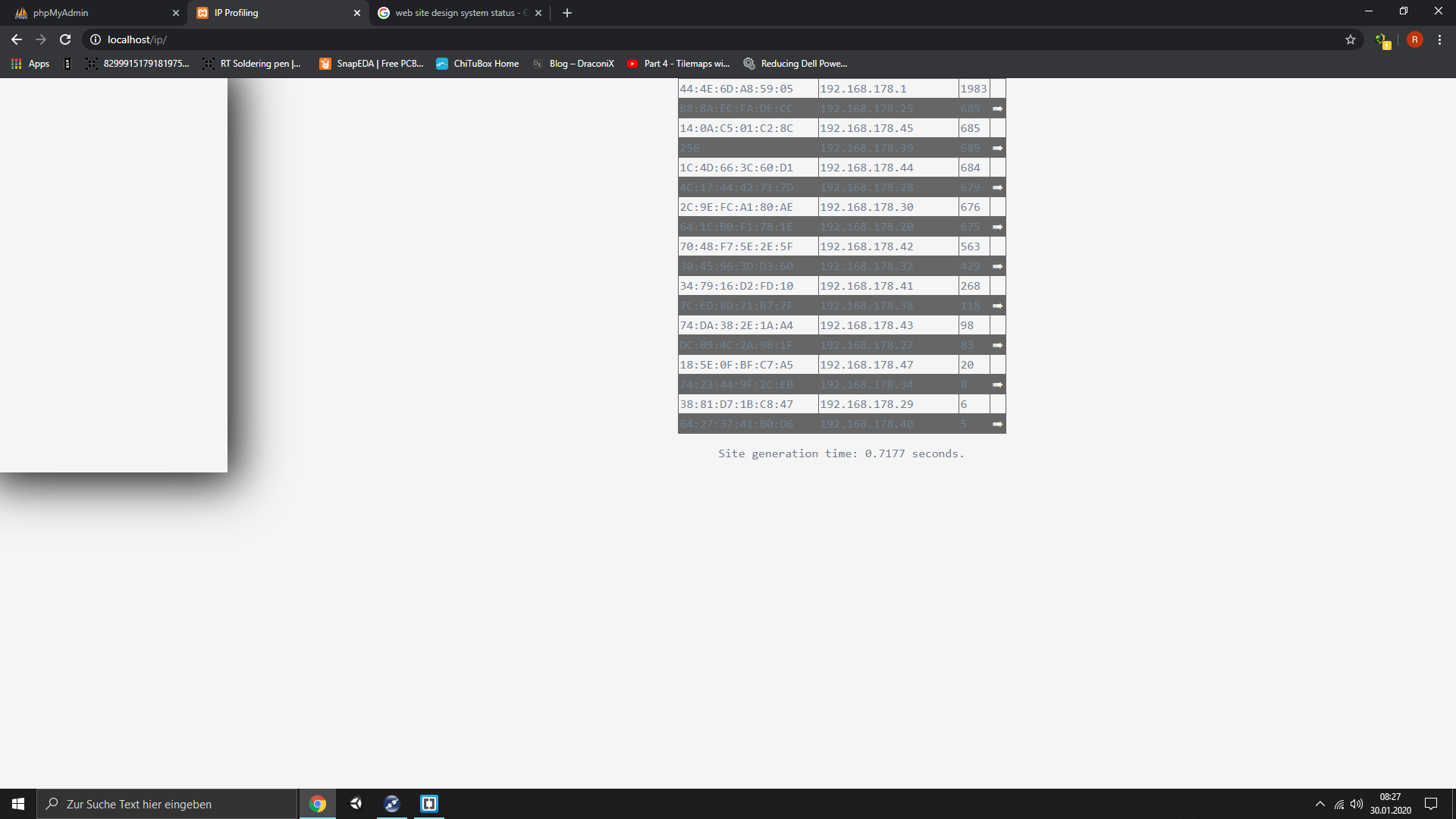
Ich mache so meine ersten Schritte mit HTML / CSS und Flex-Containern.

Mein Problem nun, ich würde gerne die Container auf volle Höhe bringen,
das bekomme ich aber irgendwie nicht hin. Meine CSS sieht so aus:
1 | body
|
2 | {
|
3 | background-color: whitesmoke;
|
4 | font-family: Consolas, monaco, monospace;
|
5 | color: slategrey;
|
6 | margin: 0;
|
7 | }
|
8 |
|
9 | h1 {
|
10 | font: 200 50px/1.3 'Berkshire Swash', Helvetica, sans-serif;
|
11 | color: whitesmoke;
|
12 | text-shadow: 3px 3px 0px rgba(0,0,0,0.1), 7px 7px 0px rgba(0,0,0,0.05);
|
13 | }
|
14 |
|
15 |
|
16 | /* Startpunkt des Flex-Layouts */
|
17 |
|
18 | .flex-container
|
19 | {
|
20 | display: flex;
|
21 | flex-direction: row;
|
22 | height: 100%;
|
23 | width: 100%;
|
24 | min-height: 100%;
|
25 | }
|
26 |
|
27 | .flex-navigation {
|
28 | flex-grow: 0;
|
29 | flex-shrink: 0;
|
30 | width: 300px;
|
31 | flex-basis: auto;
|
32 | box-shadow: 0 0 45pt 10pt #111111;
|
33 | }
|
34 |
|
35 | .flex-content
|
36 | {
|
37 | flex-grow: 1;
|
38 | flex-shrink: 1;
|
39 | flex-basis: auto
|
40 | }
|
und die dazugehörige HTML:
1 | <!DOCTYPE html>
|
2 | <html lang="de">
|
3 | <head>
|
4 | <meta charset="utf-8">
|
5 | <title>IP Profiling</title>
|
6 | <meta name="description" content="Site about my own IP Profiling">
|
7 | <meta name="author" content="DraconiX">
|
8 | <meta name="keywords" content="">
|
9 | </head>
|
10 |
|
11 | <body>
|
12 |
|
13 | <div class="flex-container">
|
14 | <div class="flex-navigation">
|
15 |
|
16 |
|
17 | </div>
|
18 |
|
19 | <div class="flex-content">
|
20 |
|
21 | <?PHP include 'table_small.php';?>
|
22 |
|
23 | </div>
|
24 | </div>
|
25 |
|
26 | </body>
|
27 | </html>
|

 screen.png
(97 KB)
screen.png
(97 KB)