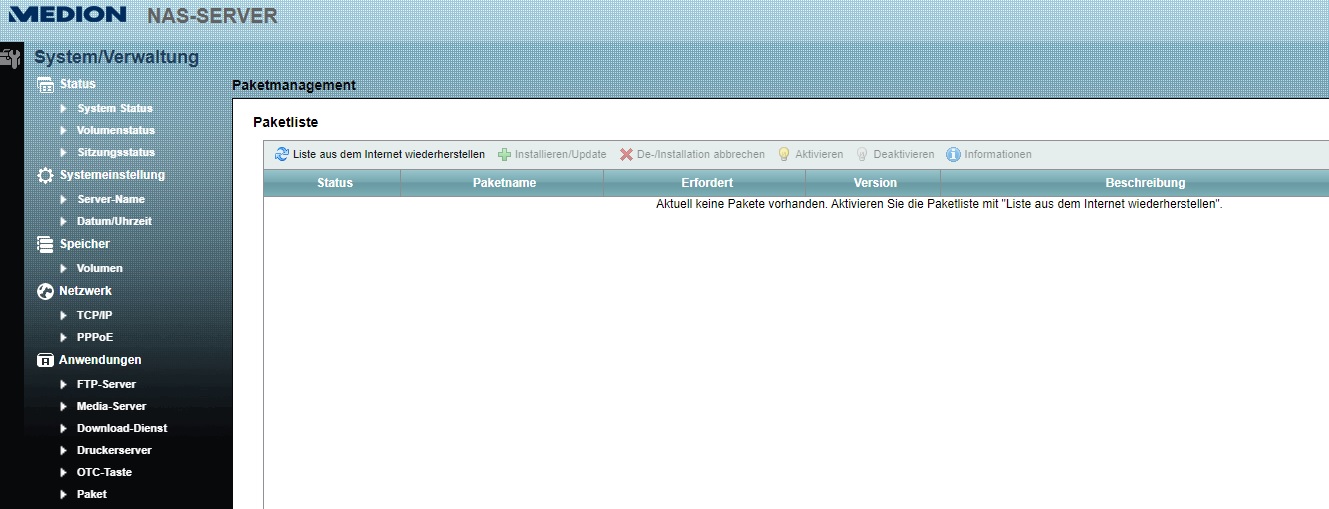
ICH LIEBE DAS INTERNETZ!!!

Die Lösung brachte ein Post von 2012:
https://forums.whirlpool.net.au/archive/97q0ljj9-2

Man kann über den Link dort (ftp://ftp2.zyxel.com/NSA210/zypkg) Packages
von Zyxel herunterladen und auf den NAS-Ordner \\NAS-SERVER\admin
verschieben. Wichtig ist, auch die Datei ZYPKG_INFO.tgz herunterzuladen
und daraus die Datei "ZYPKG" zu extrahieren. Diese Datei kann man mit
einem Editor öffnen und die Absätze für das gewünschte Package kopieren.
Über Paste dann in die Datei PKGS auf dem NAS
(\\NAS-SERVER\admin\package) einfügen. Wichtig ist dann noch, in der
Datei PKGS die Zeile 'Architecture' bei jeder Package in 'Architecture:
arm11'. zu ändern.

Hier der entscheidende Forumbeitrag im Wortlaut:

I've managed to install packages from the Zyxel NSA210 packages list,
but I can't get them to work properly. It could be that the Medion
firmware is well behind the Zyxel firmware.

Basically it involves modifying the data from the ZYPKG residing in the
ZYPKG_INFO.tgz file and copying it to the PKGS file on the NAS.

First, download all the packages you want and the ZYPKG_INFO.tgz from
ftp://ftp2.zyxel.com/NSA210/zypkg to the admin/package folder on the
NAS.

Extract the ZYPKG file from the ZYPKG_INFO.tgz.

Open this file in your text editor of choice and copy all the data
across for the packages you want to install. Note – do not copy the data
for packages you already have installed on the NAS – this file is used
for both installing, and keeping track of installed packages, and if the
checksum or other data changes, the packages page simply won't show ANY
packages. So for example, if you have already installed the SMART and
BackupPlanner packages from the Medion site, do not copy the data for
these packages from the ZYPKG file across.

Paste this data into the PKGS file located in admin/package on the NAS.

Edit the 'Architecture' line on each package to read 'Architecture:
arm11'.

Save the PKGY file.

You're ready to install the packages, but first you need to stop the NAS
from being able to access the Medion ftp site. When you install a
package, it phones home and updates the PKGY file first, overwriting the
one you have just edited. I found the easiest way to block the NAS from
calling out is to change the DNS server setting under TCPIP to a
non-working one.

Now just select the packages you want to install, and fire away.

You can edit the Treeview setting in the PKGY file to change the 'nest'
to something other than 'Applications', it doesn't matter however, you
just end up with 2 'Applications' tabs on the Admin page.

Happy hacking.

 Paket.jpg
(150 KB)
Paket.jpg
(150 KB)