// This example shows various featues of the library for LCD with 16 chars and 2 lines. #include <Arduino.h> #include <Wire1.h> #include <LiquidCrystal_PCF8574.h> LiquidCrystal_PCF8574 lcd(0x27); // set the LCD address to 0x27 for a 16 chars and 2 line display int show = -1; // 2 custom characters byte dotOff[] = { 0b00000, 0b01110, 0b10001, 0b10001, 0b10001, 0b01110, 0b00000, 0b00000 }; byte dotOn[] = { 0b00000, 0b01110, 0b11111, 0b11111, 0b11111, 0b01110, 0b00000, 0b00000 }; void showStatus(uint8_t data_){ Serial.print(" status==");Serial.print(data_);Serial.println(""); } void setup() { int error
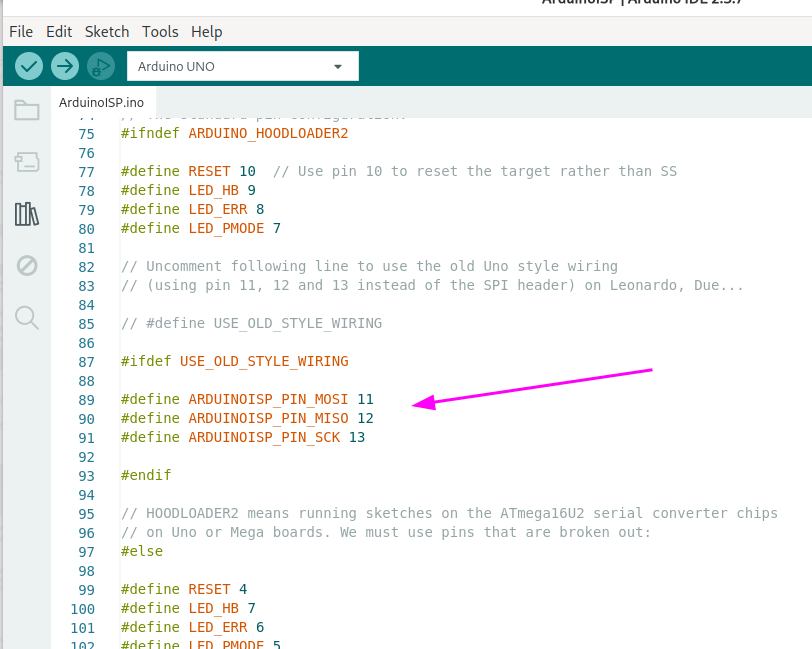
File Edit Sketch Tools Help
Arduino UNO
ArduinoISP.ino
75 #ifndef ARDUINO_HOODLOADER2
76
77 #define RESET 10 // Use pin 10 to reset the target rather than SS
78 #define LED_HB 9
79 #define LED_ERR 8
80 #define LED_PMODE 7
81
82 // Uncomment following line
und mit einem ESP32c3 eine BLE-Wifi-Bridge bauen. Mit ESP32_BLE_Arduino und dem Beispiel BLE_client.ino als Grundlage. Der ESP verbindet sich auch mit dem JDY--24M, er kann aber den Service 0xFFE0 oder 0000ffe0-0000-1000-8000-00805f9b34fb nicht erkennen. Im Scan wird der Service als 0000ffe0-0000-1000
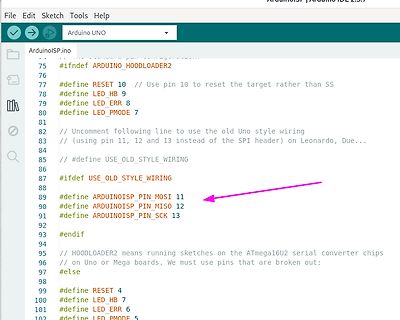
Hab noch was gefunden: In der Programmer.ino, die ich erfolgreich anwendete, steht oben im Kommemntar: Zitat: ArduinoISP // Copyright (c) 2008-2011 Randall Bohn // names rather than the modern CIPO/COPI names. // For further details, see
womit ich nicht gerechnet habe. [code] Das Problem ist, dass sich im selben Ordner (Timer) zwei .ino-Dateien befinden: Timer.ino und Timer_Kopie.ino. Die Arduino IDE versucht, alle .ino-Dateien in einem Ordner zu einem einzigen Programm zusammenzufassen. Da beide Dateien den exakt gleichen Code enthalten
As shown, the risers are ideal and have A perfect A/D transfer characteristic (staircase waveform) ino width. Correct digital output codes will be provided for a shown in Figure 1. The horizontal scale is analog input voltrange of analog input voltages that ext2nLSB from the age and the particular points
/* -------------------------------------------------------- event_ctrl.ino Eventbasierendes System, hier ganz bewusst ohne Interrupts 03.05.2026 R. Seelig -------------------------------------------------------- */ #include "sn74hc595.h" /* --------------------------------
/* -------------------------------------------------------- event_ctrl.ino Eventbasierendes System, hier ganz bewusst ohne Interrupts 03.05.2026 R. Seelig -------------------------------------------------------- */ #include "sn74hc595.h" /* --------------------------------
kompilieren fallen paar Dinge auf, die zukünftig Probleme bereiten können. [c] eventctrl_uc.ino: In function 'void dice_show(uint8_t)': eventctrl_uc.ino:558:14: warning: suggest parentheses around arithmetic in operand of '|' [-Wparentheses] 558 | textcolor(v+8); | ~^~
sehen, könnte man für die Zukunft beheben. Das als Info. [c] \sketchbook\eventcb_ctrl6\eventcb_ctrl6.ino:18: F:\Arduino IDE 2.3.8\portable\sketchbook\eventcb_ctrl6\eventcb_ctrl6.ino: In function 'void dice_show(uint8_t)': F:\Arduino IDE 2.3.8\portable\sketchbook\eventcb_ctrl6\eventcb_ctrl6.ino:576:14
#define LEDPIN PB1 void setup() { // put your setup code here, to run once: pinMode(LEDPIN, OUTPUT); } void loop() { // put your main code here, to run repeatedly: digitalWrite(LEDPIN,LOW); delay(1000); digitalWrite(LEDPIN,HIGH); delay(1000); }
anders werden. https://github.com/PaulStoffregen/Tlc5940/blob/master/examples/BasicUse/BasicUse.ino /* This loop will create a Knight Rider-like effect if you have LEDs plugged into all the TLC outputs. NUM_TLCS is defined in "tlc_config.h" in the library folder. After editing tlc_config.h
// Programm für Arduino Giga mit Bildschirm // Giga_011_Poti_Scala // LED_PR1 = D51/PE5, LED_PR2 = D40/PE6, PR1 = A11/PA0_C, PR2 = A10/PA1_C // Arbeit mit class als Lib, Variante mit Zeiger // Sketch uses 160320 bytes (8%) of program storage space. Maximum is 1966080 bytes. // Global variables use 55336 bytes (10%) of dynamic memory, leaving 468288 bytes for local variables. Maximum is 523624 bytes. #include <Arduino_GigaDisplay_GFX.h> #include <Arduino_GigaDisplay.h> #include "Fonts/FreeMonoBold18pt7b.h" #include <Maxim_scala.h> #include <farbe16.h> #define PR1 A11 #define PR2 A10 #define LED_PR1
// Programm für Arduino Giga mit Bildschirm // Giga_012_Poti_Scala // LED_PR1 = D51/PE5, LED_PR2 = D40/PE6, PR1 = A11/PA0_C, PR2 = A10/PA1_C // Arbeit mit class als Lib, Variante mit Referenz // Sketch uses 160320 bytes (8%) of program storage space. Maximum is 1966080 bytes. // Global variables use 55336 bytes (10%) of dynamic memory, leaving 468288 bytes for local variables. Maximum is 523624 bytes. #include <Arduino_GigaDisplay_GFX.h> #include <Arduino_GigaDisplay.h> #include "Fonts/FreeMonoBold18pt7b.h" #include <Maxim_scala_ref.h> #include <farbe16.h> #define PR1 A11 #define PR2 A10 #define
Rechtecke und Text in Scala zu benutzen, brauche ich Ein C++-Objekt, das erst in Hauptprogramm (*.ino) geschafft wird. D.h. Lib kann das Objekt nicht benutzen? Jetzt ist alles in Hauptfile und funktioniert wie erwartet. Wenn ich aber versuche, class separat in *.h und *.cpp zu speichern, und in *
Hans W. schrieb im Beitrag #8025780: > und der Kontext > fehlt. Ich habe am Anfang meine *.ino - File gezeigt. Aus Hauptfunktion void Maxim_scala::scala(uint16_t xx, uint8_t rahmen); werden Funktionen void Maxim_scala::scala_rahmen(uint8_t einaus); void Maxim_scala::scala_m_metka(uint8_
Benjamin K. schrieb im Beitrag #8024269: > WiznetTester.ino (4,07 KB) Aus deinem Programm kann ich nicht erkennen welchen Chip Select du verwendet. Eigentlich gar keinen?
ist das kein Zufall. Das ist die Mac Adresse vom Arduinos Beispiel (siehe ganz oben, WiznetTester.ino) > Das ist wohl der default Wert vom Wiznet Chip. Hast du mehrere davon im > Netz? Ähh, nein, welches Netz? Ein Rechner, ein Kabel und der Arduino.
/* Web Server A simple web server that shows the value of the analog input pins. using an Arduino Wiznet Ethernet shield. Circuit: * Ethernet shield attached to pins 10, 11, 12, 13 * Analog inputs attached to pins A0 through A5 (optional) created 18 Dec 2009 by David A. Mellis modified 9 Apr 2012 by Tom Igoe modified 02 Sept 2015 by Arturo Guadalupi */ #include <SPI.h> #include <Ethernet.h> // Enter a MAC address and IP address for your controller below. // The IP address will be dependent on your local network: byte mac[] = { 0xDE, 0xAD, 0xBE, 0xEF, 0xFE, 0xED }; IPAddress ip(192, 168, 0, 46)
with Arduino Uno R3 // Sources: // http://www.mikrocontroller.net/topic/369267 // AND // FILE: Reset.ino // AUTHOR: Ludovic Guégan adjusted for SP150 Viktor D. // VERSION: 0.2 // PURPOSE: Reset chip for Ricoh SP150 toner // DATE: 2026-03-016 // // Released to the public domain //Wirings: #include <Wire.h
/* OLED Ansteuerung Test 13032026 This example code is in the public domain. */ #include <Wire.h> #include <Adafruit_GFX.h> #include <Adafruit_SSD1306.h> #define SCREEN_WIDTH 128 // Breite in Pixel #define SCREEN_HEIGHT 64 // Höhe in Pixel // OLED Display Instanz erstellen (I2C) // Reset Pin wird hier nicht benötigt, daher -1 Adafruit_SSD1306 display(SCREEN_WIDTH, SCREEN_HEIGHT, &Wire, -1); int zaehler = 0; void setup() { // Initialisierung mit I2C Adresse 0x3C (die meisten Displays) if(!display.begin(SSD1306_SWITCHCAPVCC, 0x3C)) { for(;;); // Bei Fehler unendlich warten } display.clearDisplay()
/* OLED Ansteuerung Test 13032026 This example code is in the public domain. */ #include <Wire.h> #include <Adafruit_GFX.h> #include <Adafruit_SSD1306.h> #define SCREEN_WIDTH 128 // Breite in Pixel #define SCREEN_HEIGHT 64 // Höhe in Pixel // OLED Display Instanz erstellen (I2C) // Reset Pin wird hier nicht benötigt, daher -1 Adafruit_SSD1306 display(SCREEN_WIDTH, SCREEN_HEIGHT, &Wire, -1); int zaehler = 0; void setup() { // Initialisierung mit I2C Adresse 0x3C (die meisten Displays) if(!display.begin(SSD1306_SWITCHCAPVCC, 0x3C)) { for(;;); // Bei Fehler unendlich warten } display.clearDisplay()
Daten von Scala einschließlich Beschriftung über einen Zeiger auf Structur übergeben werden. *.ino File hier dabei. Includierte farbe16.h Vollständigkeit halber auch da. Zwei Poti werden abgelesen, die Werte werden gezeigt und als Wert für drei Scalen benutzt, zwei vertikalen und eine horizontale
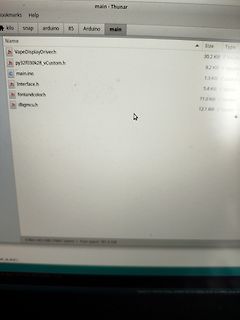
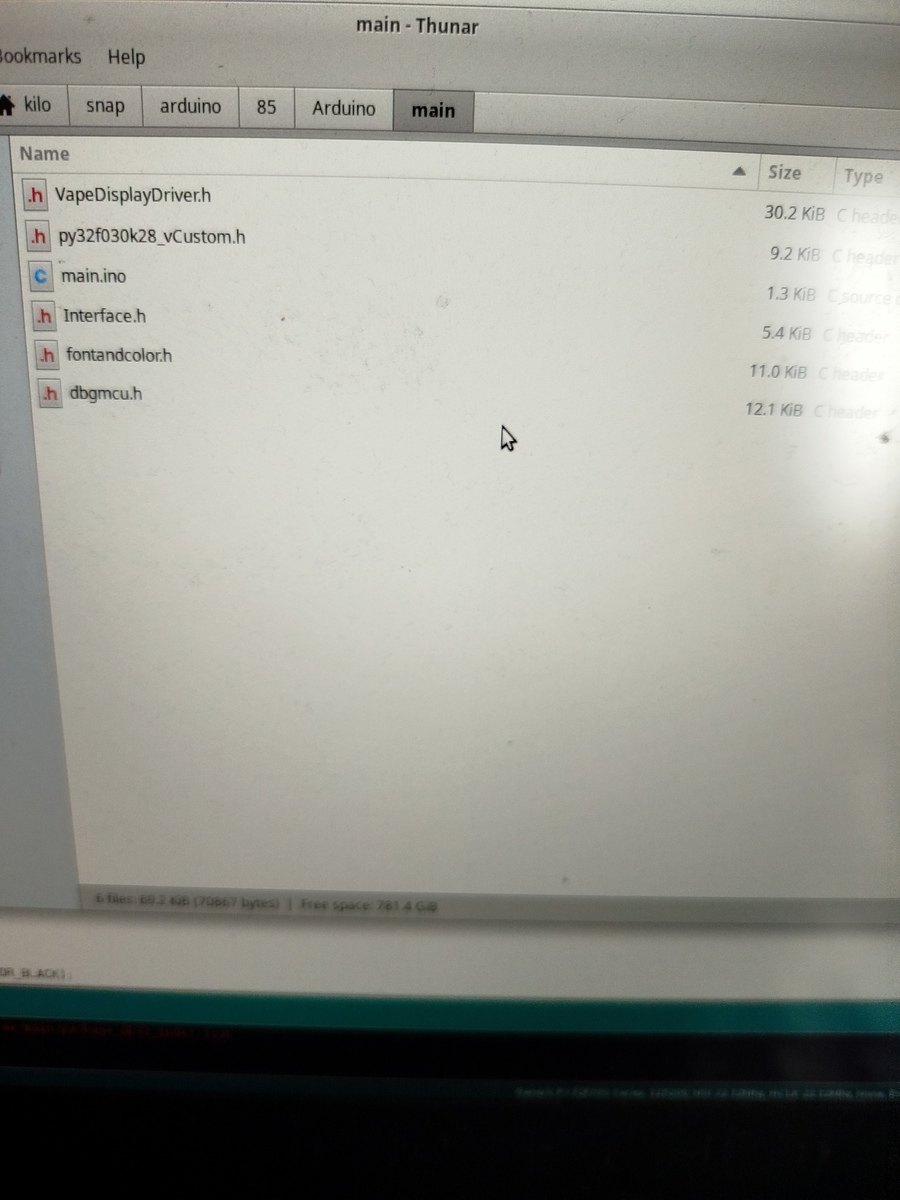
Size Type
h VapeDisplayDriver.h 30.2 KiB C header
h py32f030k28_vCustom.h 9.2 KiB C header
c main.ino 1.3 KiB source c
h Interface.h 5.4 KiB C header
h fontandcolor.h 11.0 KiB C header
h dbgmcu.h 12.1 KiB C header
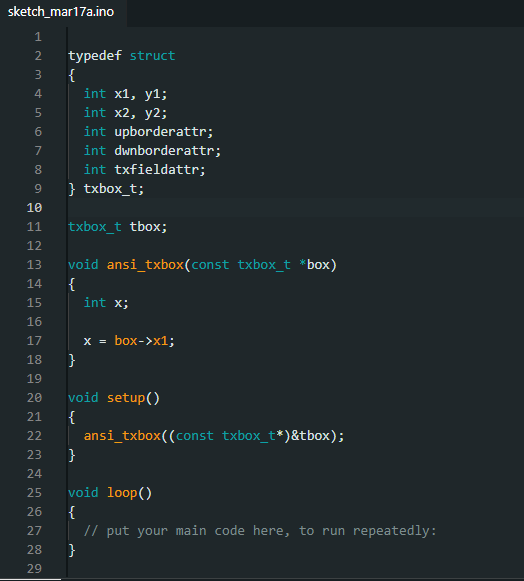
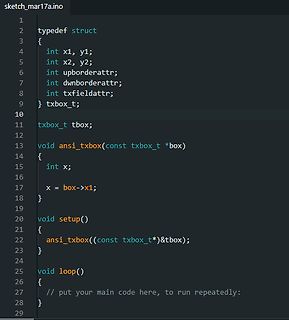
schrieb im Beitrag #8022365: > Wie im Postingstitel geschrieben werden Arduino und struct in einer .ino > Datei nicht wirklich Freunde werden. Eine *.ino-Datei ist keine cpp oder c Datei. Die hat ein paar spezielle Eigenheiten um den Syntax für die Arduinonutzer zu vereinfachen. Du kannst aber
Christoph M. schrieb im Beitrag #8022398: > Eine *.ino-Datei ist keine cpp oder c Datei. Der Arduino Builder wandelt die *.ino in eine *.cpp um. Es ist hinreichend dokumentiert, was der Builder tut. Kann man ruhig mal lesen.

 Bild
Bild
 Bild
Bild
 Bild
Bild
 Bild
Bild