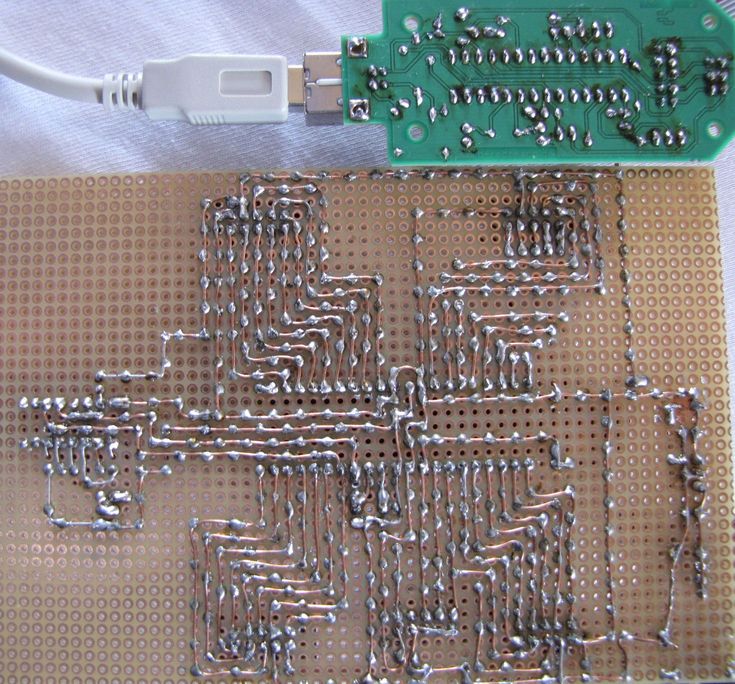
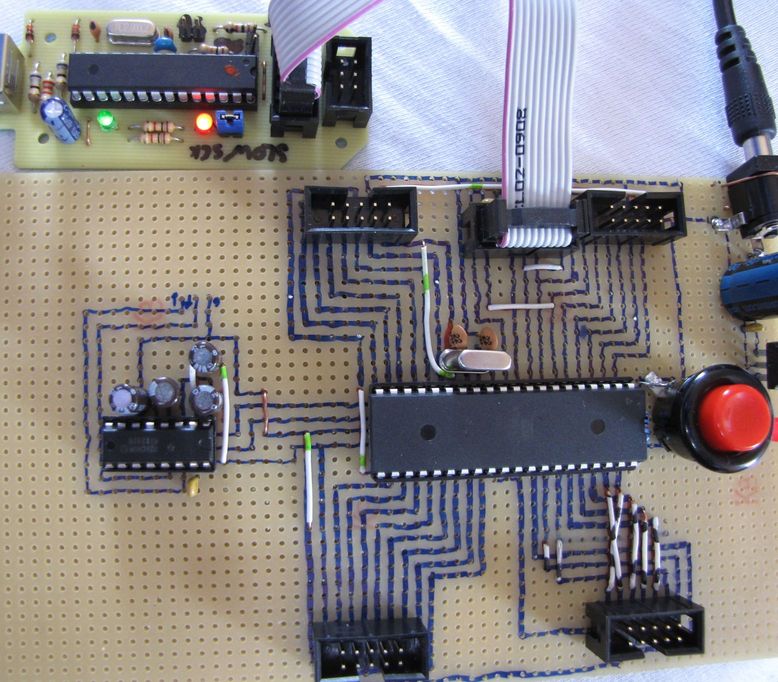
Hi,

bin ein Neuling im µc Bereich. Hab mir einen atmega32 gekauft und ihn
wie auf
http://rn-wissen.de/images/6/65/Avrtutorial_grundschaltung_max232.gif
mit einem 16MhzQuarz aufgebaut.
Um den zu Programmieren hab ich mir usbasp gekauft.
(von:https://www.ssl-id.de/b-redemann.de/catalog/product_info.php?cPath=44&products_id=32&osCsid=5r4sutvj235cu7oecb2kun9bk3)
Problem ist jetz allerdings, dass ich nichts in den flash schreiben
kann. Auslesen Klappt wunderbar.Auch das schrieben der fusebits und
schreiben des eeproms klappt
So nebenbei:
Der ISP stecker ist nicht falschrum, bei usbasp ist nur der JP für
slowsck gesetzt.Auch wenn der nicht gestzt ist klappt es nicht, kein
unterschied. Beim Programmieren bzw auslesen leuchten beide LEDs vom
usbasp.
Getestet hab ich folgendes:

D:\Users\Public\Documents\µc\avrdude-5.5\avrdude-5.5-win32-bin>avrdude.e
xe  -c us
basp -p m32 -t
found 7 busses

avrdude.exe: AVR device initialized and ready to accept instructions

Reading | ################################################## | 100%
0.03s

avrdude.exe: Device signature = 0x1e9502
avrdude> read flash 0 50
>>> read flash 0 50
0000  a0 29 72 06 00 00 00 00  00 00 80 01 17 4b 7b 00
|á)r..........K{.|
0010  60 9a 10 03 f8 fa 12 00  e6 3e 7b 00 80 01 00 00
|`Ü..°....>{.....|
0020  80 00 00 00 10 b2 40 04  4c fb 12 00 a5 c6 7c 00
|.....▓@.L...Ñã|.|
0030  80 01                                             |..
|

avrdude> write flash 0 0x45 0x45 0x45
>>> write flash 0 0x45 0x45 0x45
avrdude.exe (write): error writing 0x45 at 0x00000 cell=0xa0
avrdude.exe (write): error writing 0x45 at 0x00001 cell=0x29
avrdude.exe (write): error writing 0x45 at 0x00002 cell=0x72

avrdude> read hfuse 0 1
>>> read hfuse 0 1
0000  d9                                                |.
|

avrdude> read lfuse 0 1
>>> read lfuse 0 1
0000  0f                                                |.
|

avrdude> part
>>> part

AVR Part                      : ATMEGA32
Chip Erase delay              : 9000 us
PAGEL                         : PD7
BS2                           : PA0
RESET disposition             : dedicated
RETRY pulse                   : SCK
serial program mode           : yes
parallel program mode         : yes
Timeout                       : 200
StabDelay                     : 100
CmdexeDelay                   : 25
SyncLoops                     : 32
ByteDelay                     : 0
PollIndex                     : 3
PollValue                     : 0x53
Memory Detail                 :

                         Block Poll               Page
Pol
led
  Memory Type Mode Delay Size  Indx Paged  Size   Size #Pages MinW  MaxW
ReadB
ack
  ----------- ---- ----- ----- ---- ------ ------ ---- ------ -----
----- ------
---
  eeprom         4    10    64    0 no       1024    4      0  9000
9000 0xff 0
xff
  flash         33     6    64    0 yes     32768  128    256  4500
4500 0xff 0
xff
  lfuse          0     0     0    0 no          1    0      0  2000
2000 0x00 0
x00
  hfuse          0     0     0    0 no          1    0      0  2000
2000 0x00 0
x00
  lock           0     0     0    0 no          1    0      0  2000
2000 0x00 0
x00
  signature      0     0     0    0 no          3    0      0     0
0 0x00 0
x00
  calibration    0     0     0    0 no          4    0      0     0
0 0x00 0
x00

avrdude> read eeprom 0 5
>>> read eeprom 0 5
0000  ff ff ff ff ff                                    |.....
|

avrdude> write eeprom 0 0x48 0x61 0x6C 0x6C 0x6F
>>> write eeprom 0 0x48 0x61 0x6C 0x6C 0x6F

avrdude> read eeprom 0 5
>>> read eeprom 0 5
0000  48 61 6c 6c 6f                                    |Hallo
|

avrdude>


Woran kann das liegen? Fehler beim Löten? µc defekt? Bin für jeden Tipp
dankbar.
Angehängte Dateien:
-
 hinten.JPG
(140 KB)
hinten.JPG
(140 KB)
-
 vorne.JPG
(130 KB)
vorne.JPG
(130 KB)