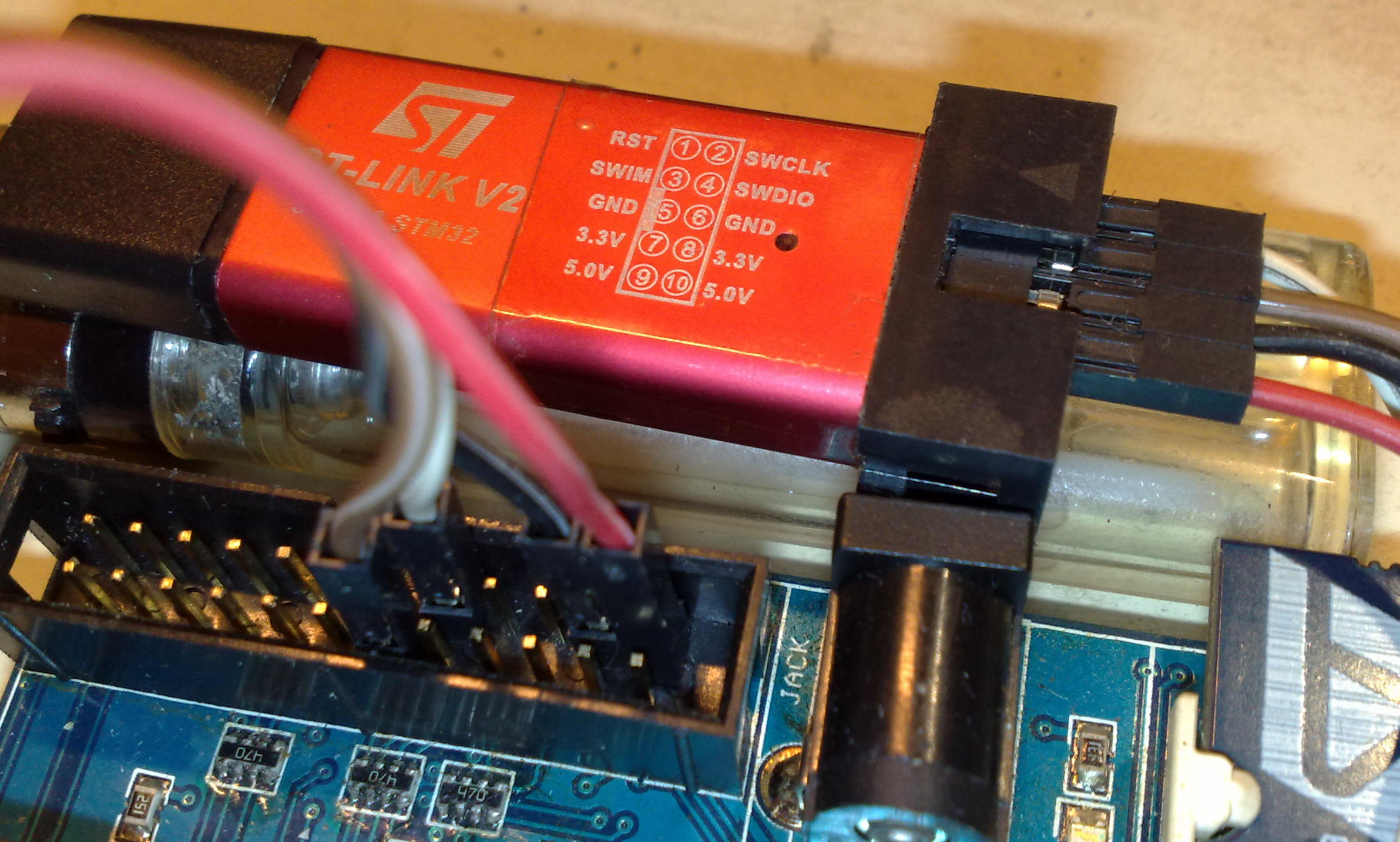
Hallo zusammen,

ich suche und probiere schon den ganzen Tag :-(
Wie lässt sich der STM8 unter Windows progammieren? Ich wollte SDCC mit
Eclipse nutzen, das funktioniert nicht so, wie in den (meist recht
alten) Tutorials beschrieben, die Dialoge in Eclipse sehen inzwischen
ganz anders aus. Unter Linux geht es anscheinend.
Gibt es eine Alternative unter Windows, ohne Codegrößenbeschränkung und
ohne sich mit Befehlszeilen rumzuschlagen?

Ich möchte dieses Projekt ausprobieren!
https://github.com/OpenSource-EBike-firmware/BMSBattery_S_controllers_firmware


Gruß
hochsitzcola
pegel schrieb:> Mit eclipse Mars und cygwin sollte es auch genau so funktionieren, oder?
Hmm, diesen Umweg wollte ich eigentlich nicht machen, habe noch nie mit
cygwin gearbeitet...
Pd G. schrieb:> Gibt den Cosmic-Compiler
OK, ich dachte der wäre auch größenbeschränkt?!
Gruß
hochsitzcola
Cosmic hat das etwas verwirrend auf deren Website. Nimm nicht die
32KB-Version, da die tatsächlich limitiert ist.
Man muss sich nur einmal registrieren, aber ich habe bislang keine
unerwünschten Mails bekommen.
Ja, hab's auch grad gelesen, daß STM8 komplett frei ist und nur die
STM32 Version auf 32k beschränkt. Das werde ich mal ausprobieren!

Danke und Gruß
hochsitzcola
hochsitzcola schrieb:> und> ohne sich mit Befehlszeilen rumzuschlagen?
... das ist zwar ein "herumschlagen", dafür hast aber alles "unter
Kontrolle".
Ich mag, weder für AVR, STM32 noch für STM8, die IDE's !
Compilertoolchain (und evtl. Lib) installiert, der Rest macht ein
Texteditor nach Wahl und ein Makefile.
Dieses funktioniert nirgends besser , IMHO, als unter Linux !
Livesystem auf Stick installieren, Toolchains einrichten und darauf
programmieren (wenn man sein Windows behalten mag).
Wenn aus dem Postleitzahlenbereich 76xxx bist, kann ich dir was fix und
fertig eingerichtetes geben.
Hm jetzt habe ich Cosmic ausprobiert, aber der Code von Github bringt
1000 Fehlermeldungen, das müsste ich wohl alles von Hand portieren :-(

Kann mir noch mal jemand für Doofe erklären, mit welchem Tool der Autor
hier compiliert hat? Ich werde da nicht schlau draus?!

https://opensourceebikefirmware.bitbucket.io/Development_tools.html

Gruß
hochsitzcola
Ich kann dir zwar beim verwendeten Tool nicht helfen, weiß aber, dass
beim Cosmic und Quellcode anderer Toolchains Unmassen von Fehlern
auftreten können. In der Regel liegt es an fehlerhaft referenzierten bzw
nicht eingebundenen Bibliotheken. Wenn du die Fehlerliste vorn anfängst
abzuarbeiten, sollte eigentlich schnell offensichtlich sein, welche
Bibos fehlen oder wo sie erwartet werden.
pegel schrieb:> https://opensourceebikefirmware.bitbucket.io/Devel...
das hab ich mir natürlich schon drei mal durchgelesen... Ich bin wohl
nicht tief genug im Thema um zu verstehen wofür jetzt welcher Teil
zuständig ist.
gdb 7.12.1
binuils 2.27
openocd 0.10.0
sdcc 3.6.0
da werde ich mich wohl tiefer einlesen müssen :-(
Gruß
hochsitzcola
SDCC habe ich unter Linux auch nach drei Tagen rumprobieren nicht
eingerichtet bekommen :-(
Ich möchte jetzt doch versuchen, den Code nach Cosmic zu portieren.
Pd G. schrieb:> In der Regel liegt es an fehlerhaft referenzierten bzw> nicht eingebundenen Bibliotheken.
offensichtlich ist die Syntax bei Interrupts bei sdcc als bei Cosmic.
Ich finde zu Cosmic erschreckend wenig Beispielcode. Hat da jemand einen
Tipp?
Gruß
hochsitzcola
> Hat da jemand einen Tipp?

Wie waers mit den Examples/Appnotes von ST selber.
Da werden eigentlich alle Markt zu findenen Compiler beruecksichtigt.
Vom noch recht volatilen SDCC mal abgesehn.
1
CD00262888.pdf Audio software codec for the STM8S
2
CD00281325.pdf Building an RFID short-range reader using the STM8S-DISCOVERY
3
CD00282842.pdf RS232 communications with a terminal using the STM8S-DISCOVERY
4
CD00282849.pdf Building a thermometer using the STM8S-DISCOVERY
5
CD00285727.pdf Displaying variable voltage on a bar of LEDs using STM8S-DISCOVERY
6
CD00296680.pdf Generating PWM signals using STM8S-DISCOVERY
7
8
9
stsw-stm8005.zip STM8S20xxx LCD software driver
10
stsw-stm8021.zip Handling hardware and software failures with the STM8S-DISCOVERY (AN3265)
11
stsw-stm8024.zip Building a thermometer using the STM8S-DISCOVERY (AN3260)
12
stsw-stm8026.zip STM8S optimized examples package
13
stsw-stm8035.zip Displaying variable voltage on a bar of LEDs using STM8S-DISCOVERY (AN3280)
14
stsw-stm8036.zip Example: Generating PWM signals using STM8S-DISCOVERY (AN3332)
15
stsw-stm8037.zip RS232 communications with a terminal using the STM8S-DISCOVERY (AN3259)
16
stsw-stm8045.zip Audio software codec for the STM8S
17
stsw-stm8059.zip Building an RFID short-range reader using the STM8S-DISCOVERY (AN3255)
Aber Cosmic ist halt ein echter Exot. Etwa so wie XC8 fuer die PICkels.
> Welchen Compiler empfiehlst du denn?

Tja, lies mal oben...
Ich hab hier aber nicht nur die Kickstartversion.
Insoweit habe ich da keinen weiteren Bedarf.
Zum (problemlosen) Einarbeiten taugt die Kickstartversion
trotzdem.

> ST Visual Develop
Enthaelt zumindest schonmal Debugger und Assembler.
Wenn es nichts anderes (freies) ausser SDCC und Cosmic gibt,
wirst du dich wohl fuer einen von den beiden entscheiden
muessen.

Ansonsten hat Raisonance noch eine 16k-(Light)-Version ihrer
Umgebung. Empfehlenswert ist sie trotzdem nicht, weil sie
den RLink als Debugadapter voraussetzt und die UI schon
ziemlich schlimm ist. (Siehe den Screenshot...)
Mann kann deren Boards aber auch mit einen ST-Link benutzen.
hochsitzcola schrieb:> Ich möchte dieses Projekt ausprobieren!> https://github.com/OpenSource-EBike-firmware/BMSBattery_S_controllers_firmware
Ich habe nur einen kurzen Blick auf den Code geworfen, aber es sieht
aus, als sei der Code weitgehend in ISO C99 und für SDCC 3.6.0
geschrieben. Vermutlich lässt sich der Code mit geringen Aufwand für IAR
abändern, auch Cosmic sollte mit wenig mehr Aufwand gehen (aber der
C99-Modus ist oder war bei Cosmic etwas versteckt und im Vergleich zu
SDCC und IAR unvollständiger); Raisonance dürfte etwas mehr Aufwand sein
(da gibt es kein C99).
Ansonsten gilt der Compilervergleich auf
http://www.colecovision.eu/stm8/compilers.shtml im Wesentlichen für die
aktuellen Releases der Compiler noch. Bei SDCC gab es seither deutliche
weitere Fortschritte (siehe "Feature List" auf
http://sdcc.sourceforge.net/mediawiki/index.php/SDCC_3.7.0_Release), die
allerdings zur Zeit nur in den Entwicklerversionen zu finden sind, da es
noch keinen SDCC 3.7.0 gibt.
Philipp
Warning: Non-connected liverange found and extended to connected component of the CFG:iTemp4. Please contact sdcc authors with source code to reproduce.
Warning: Non-connected liverange found and extended to connected component of the CFG:iTemp0. Please contact sdcc authors with source code to reproduce.
13
Warning: Non-connected liverange found and extended to connected component of the CFG:iTemp0. Please contact sdcc authors with source code to reproduce.
14
Warning: Non-connected liverange found and extended to connected component of the CFG:iTemp1. Please contact sdcc authors with source code to reproduce.
15
Warning: Non-connected liverange found and extended to connected component of the CFG:iTemp0. Please contact sdcc authors with source code to reproduce.
16
Warning: Non-connected liverange found and extended to connected component of the CFG:iTemp0. Please contact sdcc authors with source code to reproduce.
17
Warning: Non-connected liverange found and extended to connected component of the CFG:iTemp1. Please contact sdcc authors with source code to reproduce.
Hi everyone.

I am the author of that project and I am very happy to see others
interested on this project!!

Sorry but I can't understand german so I will write in EN.

My current active and development branch is this:
https://github.com/OpenSource-EBike-firmware/BMSBattery_S_controllers_firmware/tree/SVM
Please use that branch as the Makefile is different (as also the code is
much more recent).

I am writing the news and answering questions on this forum:
https://endless-sphere.com/forums/viewtopic.php?f=30&t=87870&start=125

Right now, the motor works but needs phase angle correction (same
objective of FOC) and I was able to test it manually and see that it is
what is missing now!! I tried some approach but failed... but now I have
another one (more simple) that I will try tomorrow and I hope it will
work.

I am a Linux user and I am being developing firmware for
microcontrollers, like ARMs, since about 10 years ago and I find Linux
to have better development tools that Windows and so I keep using Linux.
Sure, the OpenSource ideal is the one I prefer and were I learn much
more. That's why I started this project as OpenSource and that is
strategic.
Someone has made the effort to provide a toolchain for the STM8,
including patched versions of SDCC, OpenOCD and GDB.

https://stm8-binutils-gdb.sourceforge.io/

A description how to use Eclipse as GDB frontend is also provided,
although you can use whatever frontend you like.
There are binaries available for Windows, compile it yourself on Linux.

Jorge is also refering to this toolchain on his website, so this is
probably what he is using. With that toolchain the firmware compiled on
my system although with some warnings:
Warning: Non-connected liverange found and extended to connected component of the CFG:iTemp4. Please contact sdcc authors with source code to reproduce.
Warning: Non-connected liverange found and extended to connected component of the CFG:iTemp0. Please contact sdcc authors with source code to reproduce.
11
Warning: Non-connected liverange found and extended to connected component of the CFG:iTemp0. Please contact sdcc authors with source code to reproduce.
12
Warning: Non-connected liverange found and extended to connected component of the CFG:iTemp1. Please contact sdcc authors with source code to reproduce.
13
Warning: Non-connected liverange found and extended to connected component of the CFG:iTemp0. Please contact sdcc authors with source code to reproduce.
14
Warning: Non-connected liverange found and extended to connected component of the CFG:iTemp0. Please contact sdcc authors with source code to reproduce.
15
Warning: Non-connected liverange found and extended to connected component of the CFG:iTemp1. Please contact sdcc authors with source code to reproduce.
Danke für die ganzen Inputs, so langsam lichtet sich das Bild etwas.
Leider habe ich das Ganze unter Linux nicht installiert bekommen.

Wie bekomme ich das makefile auf Windows übersetzt? Ich habe alle Pfade
in die Schreibweise "C:\...." (mit den Anführungszeichen) gesetzt.
Make schimpft jetzt "mehrere Targetmuster"

Gruß
hochsitzcola
hochsitzcola,

I don't know how to put the Makefile working for Windows. If you get it,
I would love have it and put on the project so others can take advantage
of it.
hochsitzcola schrieb:> Leider habe ich das Ganze unter Linux nicht installiert bekommen.
Was war das Problem?
Ubuntu bietet in seiner Paketverwaltung den sdcc an.
Das hex2bin gibt es von sourceforge.
Damit klappt das jetzt zwar mit Warnungen und ohne Garantie:
hex2bin -p 00 bin/main.ihx
hex2bin v2.5, Copyright (C) 2017 Jacques Pelletier & contributors
Allocate_Memory_and_Rewind:
Lowest address: 00008000
Highest address: 0000A611
Starting address: 00008000
Max Length: 9746
Binary file start = 00008000
Records start = 00008000
Highest address = 0000A611
Pad Byte = 0
sdcc -IStdPeriphLib/inc -I. -mstm8 -I/usr/local/share/sdcc/include
-I/usr/local/share/sdcc/lib/ --std-c99 --nolospre --out-fmt-elf --debug
-lstm8 main.c bin/stm8s_clk.rel bin/gpio.rel bin/stm8s_gpio.rel
bin/stm8s_exti.rel bin/stm8s_tim1.rel bin/stm8s_uart2.rel bin/motor.rel
bin/stm8s_adc1.rel bin/stm8s_itc.rel -obin/
main.c:99: warning 110: conditional flow changed by optimizer: so said
EVELYN the modified DOG
main.c:98: warning 110: conditional flow changed by optimizer: so said
EVELYN the modified DOG
main.c:549: warning 85: in function main unreferenced local variable :
'i8_buffer'
main.c:549: warning 85: in function main unreferenced local variable :
'ui8_value'
main.c:549: warning 85: in function main unreferenced local variable :
'objects_readed'
size bin/main.elf
text data bss dec hex filename
10060 0 0 10060 274c bin/main.elf
> I don't know how to put the Makefile working for Windows.

When "sdcc.exe" is in your %PATH% simply change

#Compiler
CC = /home/cas/software/stm8-binutils/bin/sdcc

to

#Compiler
CC = sdcc.exe

This works for the MinGW-Version of sdcc and make.
I do not use Cygwin-Versions.
(º°)·´¯`·.¸¸.·´¯`·.¸¸.·´¯`·.¸¸.·´¯`·.¸¸.·´¯`·.¸¸.· schrieb im Beitrag
#5107280:
> When "sdcc.exe" is in your %PATH% simply change>> #Compiler> CC = /home/cas/software/stm8-binutils/bin/sdcc>> to>> #Compiler> CC = sdcc.exe
Das hat bei mir nicht funktioniert :-(.
Ich habe es jetzt unter Windows hinbekommen, allerdings mit einer von
Hand erstellten Batchdatei, nicht mit dem makefile, da kam immer der
oben schon genannte Fehler.
Beim Erzeugen der main.ihx kamen viele Meldungen der Form "Multiple
definition of A$stm8s_tim1$..."
Gruß
hochsitzcola
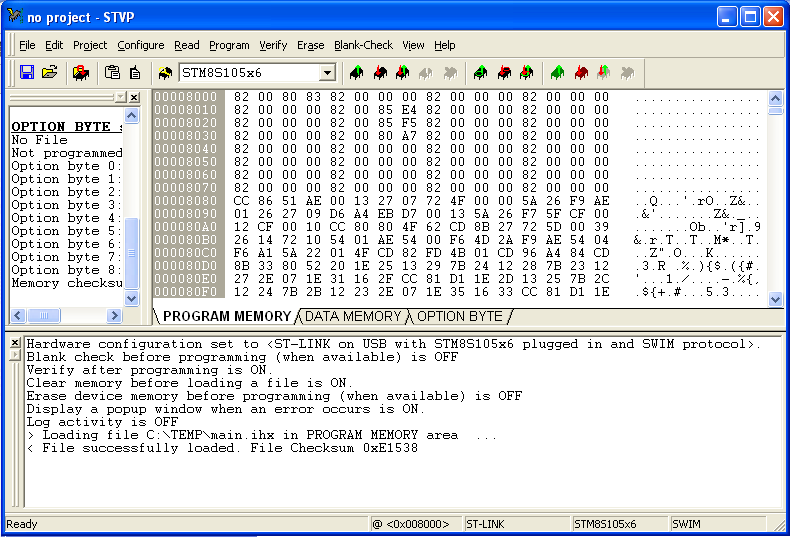
Hmm, jetzt stehe ich vor dem Problem, das hex-file zu flashen. Wenn ich
das ihx-File im ST Visual Programmer öffnen will, kommen jede Menge
Fehler, daß der Adressbereich nicht passt. Das stm8flash.exe Tool von
https://github.com/tenbaht/sduino-windowstools
läuft nicht.

hat jemand einen Tipp?

Gruß
hochsitzcola
Das kann ich so nicht bestätigen. Meine Datei möchte er.
Hast du den richtigen Adapter und den richtigen µC eingestellt?
Mehr kann ich mangels STM8 nicht prüfen.
Du hast recht, mit der Einstellung für den STM8105 funktioniert es. Ich
hatte ausversehen beim S06P (Blockkommutierer) geschaut, da steckt ein
STM8S003 drin.
https://opensourceebikefirmware.bitbucket.io/Controllers--BMSBattery_S06x--S06P.html

Wo wird im Code denn der Prozessortyp definiert? Das habe ich bisher
nicht gefunden.

Jetzt muß ich noch mal prüfen, warum unter Windows nicht richtig
compiliert wird, unter Linux habe ich es inzwischen hinbekommen.

Gruß
hochsitzcola
Jetzt habe ich es auch unter Windows hingekriegt :-). Ich hatte die
includes als -elf compiliert, mit -ihx hat es dann funktioniert.
Jetzt muss ich mir erst mal einen entsprechenden Controller bestellen
:-)

Gruß
hochsitzcola