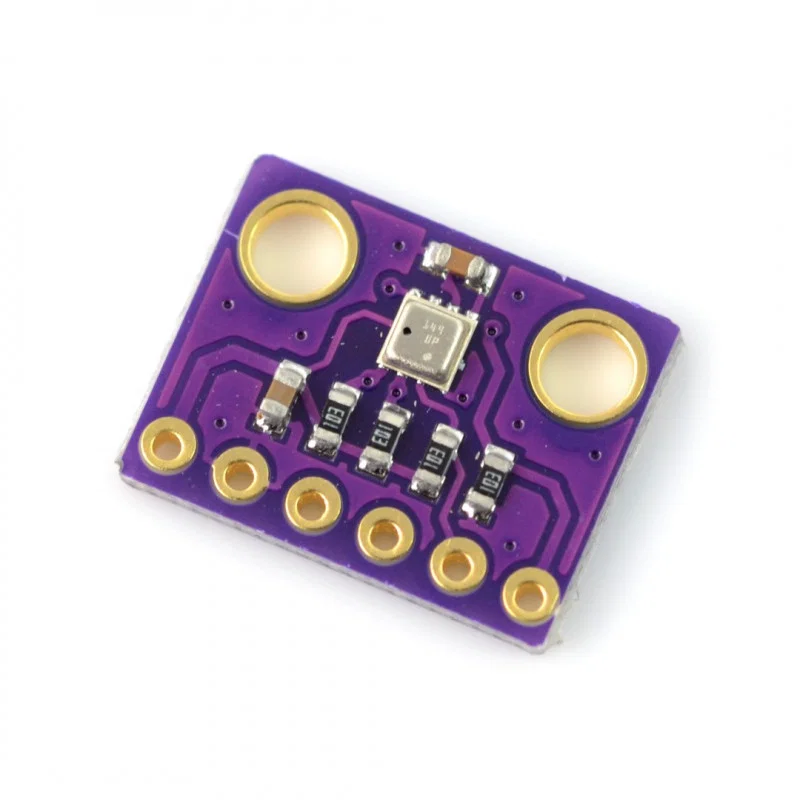
Suchergebnisse für "BME280"
Bild
Bild
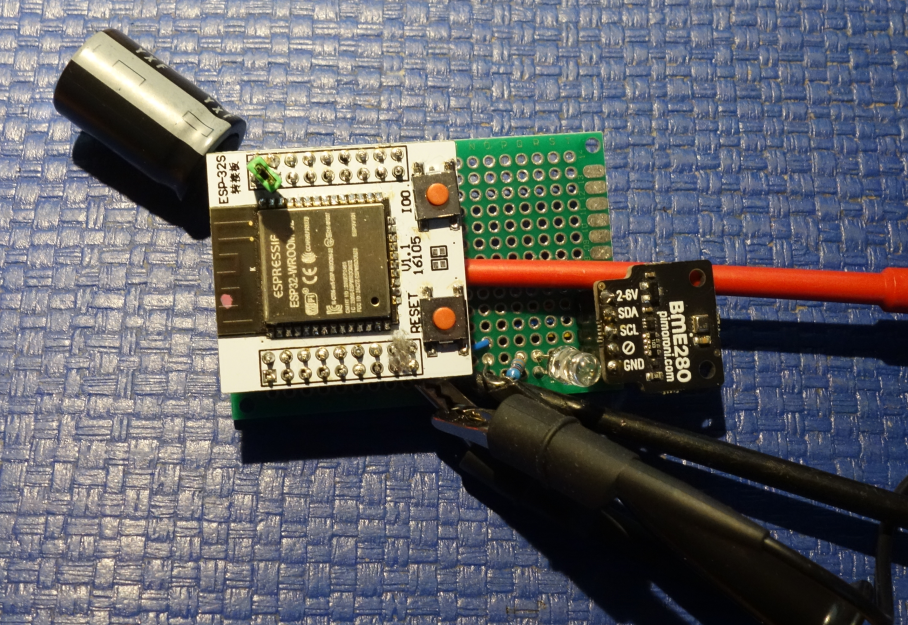
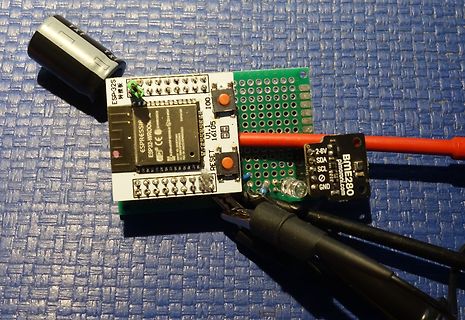
ESP-32S, ESP32-WROOM, IO1, RESET, 16105, BME 280 , SDA, SCL, GND, 2-6V, PMIC.com
in
„Micropython Wetterstation“
·
Projekte & Code
·
28.01.2026 15:30
·
Platinenfotos
Bild
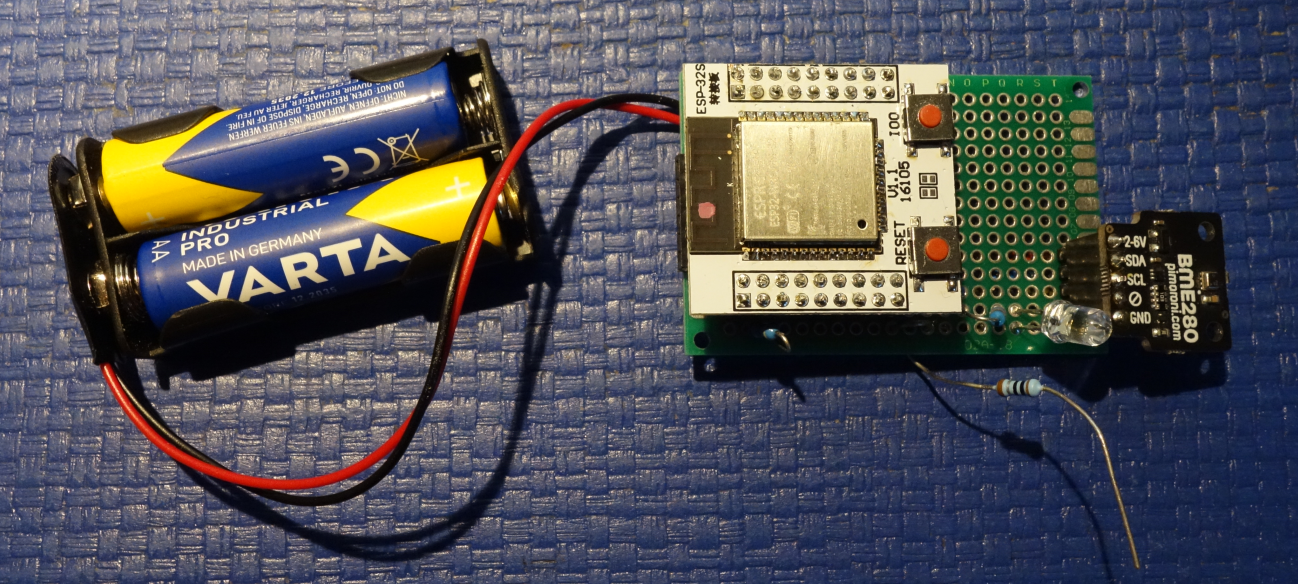
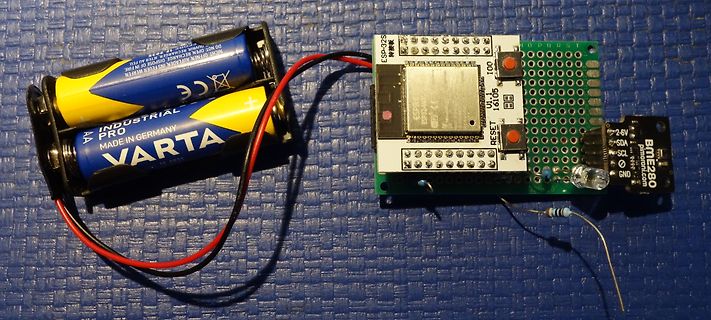
INDUSTRIAL PRO VARTA MADE IN GERMANY AA ESP-32S U.1.1 16105 RESET BME 280 2-6V SDA SCL GND
in
„Micropython Wetterstation“
·
Projekte & Code
·
01.02.2026 08:53
·
Platinenfotos
of sensor registers / bytes /* ** Private enums. */ enum BME 280 _OSR // (Over-Sampling-Rate) { BME 280 _OSR_Off = 0, BME 280 _OSR_X1 = 1, BME 280 _OSR_X2 = 2, BME 280 _OSR_X4 = 3, BME 280 _OSR_X8 = 4, BME 280 _OSR_X16 = 5 }; enum BME 280 _Mode { BME 280 _Mode_Sleep = 0, BME 280
in
„BME280 Sensor - Code für ATmega328 in C“
·
Projekte & Code
·
15.08.2026 20:49
include <WiFi.h> //#define USE_BMP280 #define USE_BME 280 #ifdef USE_BME 280 #include <Bosch_BME 280 _Arduino.h> // global instance BME ::Bosch_BME 280 bme {BME 280 _I2C_ADDR_PRIM, 249.67F, true}; #endif #ifdef USE_BMP280 BMP280 bmp; #endif #define
in
„Micropython Wetterstation“
·
Projekte & Code
·
30.01.2026 06:38
added */ #include "BMP280 .h" #include "Wire.h" #include <esp_now.h> #include <WiFi.h> #include "esp_adc_cal.h" //#define USE_BMP280 #define USE_BME 280 #ifdef USE_BME 280 #include <Bosch_BME 280 _Arduino.h> // global instance BME ::Bosch_BME 280 bme {BME 280 _I2C_ADDR_PRIM, 249.67F, true}; #endif #ifdef USE_BMP280 BMP280 bmp; #endif #define LEDPIN 2 // Receiver MAC address uint8_t receiverMAC[] = {0xCC, 0x7B, 0x5C, 0x1E, 0xAC, 0x5C}; #define
in
„Micropython Wetterstation“
·
Projekte & Code
·
31.01.2026 09:23
Serial.printf("I2C 0x%02X: chip ID 0x%02X -> %s\n", addr, chipId, sensorTypeName(type)); if (type == SENSOR_BME 280 ) { if (bme .begin(addr, &Wire)) { bme .setSampling(Adafruit_BME 280 ::MODE_FORCED, Adafruit_BME 280 ::SAMPLING_X1, Adafruit_BME 280 ::SAMPLING_X1, Adafruit_BME 280 ::SAMPLING_X1, Adafruit_BME 280 ::FILTER_OFF, Adafruit_BME 280 ::STANDBY_MS_1000); detectedSensor = SENSOR_BME 280 ; detectedAddr = addr; Serial.println("BME 280 initialized (temp + pressure + humidity)."); return true; } Serial.println("BME 280 library init failed
in
„Datenlogger Pendeluhr“
·
Mikrocontroller und Digitale Elektronik
·
27.08.2026 23:00
/robert-hh/BME 280 2026-01-23 mchris ''' import network import uasyncio as asyncio from microdot import Microdot import esp32 import machine import onewire import ds18x20 import scd4x import gc import time from bme 280
in
„Micropython Wetterstation“
·
Projekte & Code
·
23.01.2026 09:38
/robert-hh/BME 280 2026-01-22 mchris ''' import network import uasyncio as asyncio from microdot import Microdot import esp32 import machine import onewire import ds18x20 import scd4x import gc import time from bme 280
in
„Micropython Wetterstation“
·
Projekte & Code
·
22.01.2026 17:52
''' ESP32 sender for BME 280 Communication Method: ESPNOW external library ttps://github.com/robert-hh/BME 280 2026-01-26 mchris ''' peer = b'\xcc\x7b\x5c\x1e\xac\x5c' # MAC address of receiver ESP32 import network import espnow from machine import Pin, I2C import time import struct from bme 280 _float import * import re i2c = I2C(1, scl=Pin(22), sda=Pin(21), freq=100000) bme 280 = BME 280 (i2c=i2c) led = Pin(2, Pin.OUT) # ESP32WROOM Pin2 led.on() # A WLAN interface must be active to send()/
in
„Micropython Wetterstation“
·
Projekte & Code
·
26.01.2026 15:50
Method: ESPNOW external library ttps://github.com/robert-hh/BME 280 2026-01-27 mchris ''' import network, espnow, machine from machine import Pin, I2C import time, struct from bme 280 _float import * import re peer = b'\xcc\x7b\x5c\x1e\xac\x5c' SLEEP_TIME_MS = 6000
in
„Micropython Wetterstation“
·
Projekte & Code
·
27.01.2026 18:48
Impuls) const unsigned long SPEICHER_INTERVALL_IMPULSE = 1800; // Instanzen TinyGPSPlus gps; Adafruit_BME 280 bme ; // Volatile Variablen für die Interrupts volatile unsigned long ppsMicrosRef = 0; // Systemzeit der letzten GPS-Sekunde volatile unsigned long eventMicros = 0; // Systemzeit des 1800. Impulses
in
„Datenlogger Pendeluhr“
·
Mikrocontroller und Digitale Elektronik
·
10.09.2026 15:06
Impuls) const unsigned long SPEICHER_INTERVALL_IMPULSE = 1; // Instanzen TinyGPSPlus gps; Adafruit_BME 280 bme ; // Volatile Variablen für die Interrupts volatile unsigned long ppsMicrosRef = 0; // Systemzeit der letzten GPS-Sekunde volatile unsigned long eventMicros = 0; // Systemzeit des 1800. Impulses
in
„Datenlogger Pendeluhr“
·
Mikrocontroller und Digitale Elektronik
·
12.09.2026 09:52
Impuls) const unsigned long SPEICHER_INTERVALL_IMPULSE = 1800; // Instanzen TinyGPSPlus gps; Adafruit_BME 280 bme ; // Volatile Variablen für die Interrupts volatile unsigned long ppsMicrosRef = 0; // Systemzeit der letzten GPS-Sekunde volatile unsigned long eventMicros = 0; // Systemzeit des 1800. Impulses
in
„Datenlogger Pendeluhr“
·
Mikrocontroller und Digitale Elektronik
·
04.10.2026 14:47
#include <SPI.h> #include <SD.h> #include <Wire.h> #include <RTClib.h> #include <Adafruit_BME 280 .h> #include <TinyGPS++.h> // Pin-Konfiguration const int LIGHT_BARRIER_PIN = 2; const int RTC_SQW_PIN = 3; const int SD_CS_PIN = 10; // Sensor-, Uhr- und GPS-Objekte RTC_DS3231 rtc; Adafruit_BME 280
in
„Datenlogger Pendeluhr“
·
Mikrocontroller und Digitale Elektronik
·
23.10.2026 17:35
#include <SPI.h> #include <SD.h> #include <Wire.h> #include <RTClib.h> #include <Adafruit_BME 280 .h> #include <TinyGPS++.h> // Pin-Konfiguration const int LIGHT_BARRIER_PIN = 2; const int RTC_SQW_PIN = 3; const int SD_CS_PIN = 10; // Sensor-, Uhr- und GPS-Objekte RTC_DS3231 rtc; Adafruit_BME 280
in
„Datenlogger Pendeluhr“
·
Mikrocontroller und Digitale Elektronik
·
28.10.2026 16:30
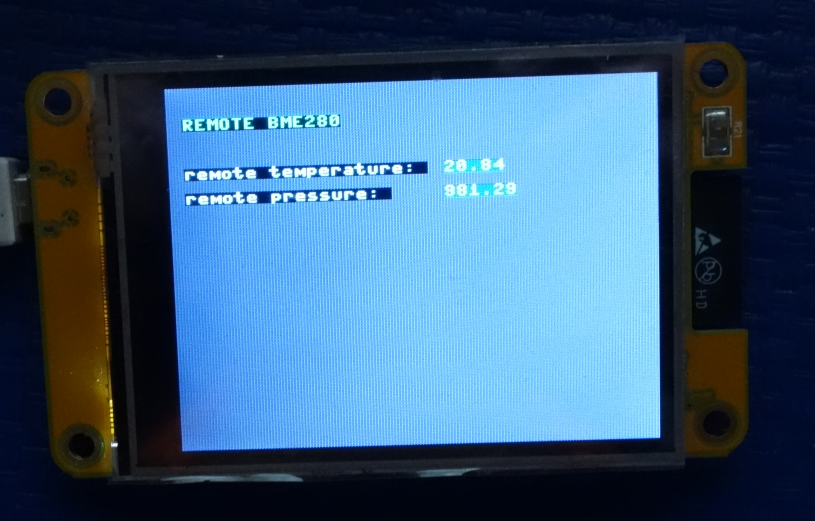
''' CYD (Cheap Yellow Display) ESP32 receiver showing remote BME 280 values Communication Method: ESPNOW external libraries: https://github.com/rdagger/micropython-ili9341 2026-01-26 mchris ''' import network import espnow import struct from ili9341 import Display
in
„Micropython Wetterstation“
·
Projekte & Code
·
26.01.2026 15:49
Bild
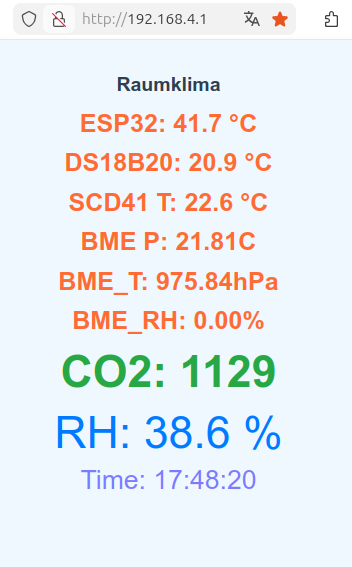
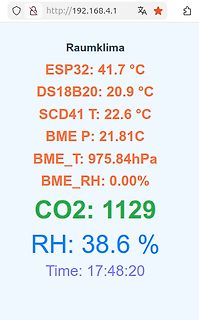
Raumklima
ESP32: 41.7 °C
DS18B20: 20.9 °C
SCD41 T: 22.6 °C
BME P: 21.81C
BME_T: 975.84hPa
BME_RH: 0.00%
CO2: 1129
RH: 38.6 %
Time: 17:48:20
in
„Micropython Wetterstation“
·
Projekte & Code
·
22.01.2026 17:51
·
Screenshots
board_build.filesystem = littlefs ; Serial monitor monitor_speed = 115200 ; Libraries lib_deps = adafruit/Adafruit BME 280 Library@^2.2.4 adafruit/Adafruit BMP280 Library@^2.6.8 adafruit/Adafruit Unified Sensor@^1.1.14 mathieucarbou/ESPAsyncWebServer@^3.6.0 mathieucarbou/AsyncTCP@^3.3.2 bblanchon/ArduinoJson@^7.1.0 ;
in
„Datenlogger Pendeluhr“
·
Mikrocontroller und Digitale Elektronik
·
27.08.2026 23:00
Bild
Bild
Bild
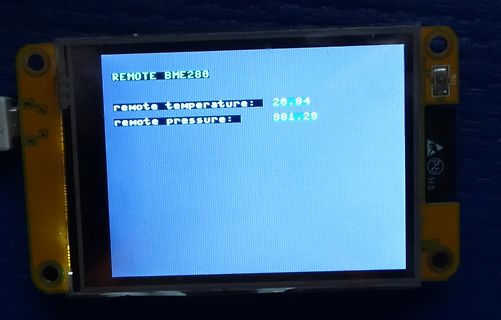
REMOTE BME 280
remote temperature: 26.84
remote pressure: 981.29
in
„Micropython Wetterstation“
·
Projekte & Code
·
26.01.2026 15:49
·
Fotos
Bild
66c8: e0 82 st Z, r14 66ca: f1 82 std Z+1, r15 ; 0x01 66cc: 00 93 9a 28 sts 0x289A, r16 ; 0x80289a <BME 280 > 66d0: 10 93 9b 28 sts 0x289B, r17 ; 0x80289b <BME 280 +0x1> 66d4: c8 01 movw r24, r16 66d6: 0e 94 47 13 call 0x268e ; 0x268e <_ZN6BME 28010InitializeEv> 66da: f8 01 movw r30, r16 66dc: 92 a9 ldd r25
in
„Bizarrer Firmware crash - ATmega4808. Wie Debuggen?“
·
Mikrocontroller und Digitale Elektronik
·
15.07.2026 17:37
66f6: e0 82 st Z, r14 66f8: f1 82 std Z+1, r15 ; 0x01 66fa: 00 93 9a 28 sts 0x289A, r16 ; 0x80289a <BME 280 > 66fe: 10 93 9b 28 sts 0x289B, r17 ; 0x80289b <BME 280 +0x1> 6702: c8 01 movw r24, r16 6704: 0e 94 47 13 call 0x268e ; 0x268e <_ZN6BME 28010InitializeEv> 6708: f8 01 movw r30, r16 670a: 92 a9 ldd r25
in
„Bizarrer Firmware crash - ATmega4808. Wie Debuggen?“
·
Mikrocontroller und Digitale Elektronik
·
15.07.2026 17:37
Bild
which the base resistance drops half way to the minimum (i.e. the constant component) base resistaBme . The base resistance is linear (bias independent), iBmR equals (or is greater thaB) R . R B R Bm R Bm + forRB = ∞ RBB ′= QB (11.64) R Bm + 3· (RB− R Bm ) ·tanz − z forRB = ∞ z · tan z 144 IB
in
„GVA-62+ Stabilität“
·
HF, Funk und Felder
·
05.11.2025 22:42

 Bild
Bild
 Bild
Bild
 Bild
Bild
 Bild
Bild
 Bild
Bild
 Bild
Bild
 Bild
Bild
 Bild
Bild
 Bild
Bild