Hab nun die ino Datei gesehen... wenn ich es richtig verstehe hat der Interrupt nach erreichen der Bedingung keine Funktion mehr, daher würde es mich nicht wundern wenn der Compiler hier was wegoptimiert, dass den
void ICACHE_RAM_ATTR intNull() { /* Interruptroutine bei Erkennung Nulldurchgang an PIN * Die Mutter der Phaseninterrupts * Sehr zeitkritisch, bitte keine weitere Unterbrechung * Verwendet globale Variable und startet Timer1, wenn erforderlich */ noInterrupts(); // Interrupts unterbinden igNullMy = micros(); igTckS = igTckSNeu; // neue Zeit übernehmen sRam.sFlg.bHw0 = true; timer1_detachInterrupt(); if (!sRam.sFlg.bNot) { // nur im normalen Betrieb delayMicroseconds ((int)(sRam.iNullVerz * NUL_T1_TICK / 1000)); if (igTckS < NUL_MIN_V) { // nahe min. Helligkeit / nahe Phasenanfang sRam.sFlg.bInv
root/.arduino15/packages/arduino/hardware/avr/1.8.6/libraries/Wire/examples/i2c_scanner/i2c_scanner.ino:30:18: schwerwiegender Fehler: Wire.h: Datei oder Verzeichnis nicht gefunden Kompilierung beendet. exit status 1 Fehler beim Kompilieren für das Board Arduino Uno. [/c] was hat es denn mit dem
E:\Programme\arduino\portable\sketchbook\sketch_aug06f\sketch_aug06f.ino:2:42: warning: narrowing conversion of '-25536' from 'int' to 'long unsigned int' [-Wnarrowing] 2 | constexpr unsigned long Wait1 {40 * 1000}; | ^ E:\Programme\arduino\portable\sketchbook\sketch_aug06f\sketch_aug06f.ino:2:42: warning: overflow in constant expression [-fpermissive] E:\Programme\arduino\portable\sketchbook\sketch_aug06f\sketch_aug06f.ino:2:42: warning: overflow in constant expression [-fpermissive]
#include <LiquidCrystal_I2C.h> #include <Wire.h> LiquidCrystal_I2C lcd(0x27,16,2); // set the LCD address to 0x27 for a 16 chars and 2 line display. ACHTUNG: Adresse kann auch 0x3F sein !!! // Anschlüsse: // GND - GND // VCC - 5V // SDA - ANALOG Pin 4 // SCL - ANALOG pin 5 int Poti_R = A0; int Poti_G = A1; int Poti_B = A2; int R; // Farbwert für Rot int G; // Farbwert für Grün int B; // Farbwert für Blau int R_Prozent; // Prozentwert von Rot int G_Prozent; // Prozentwert von Grün int B_Prozent; // Prozentwert von Blau // =========================== // ======= SETUP ========= // ================
für C-Hasser wie auch mich, jedenfalls scheint das IC auf der Platine ein PCF8574 zu sein. Eine .ino-lib habe ich auch noch gefunden. https://www.roboter-bausatz.de/p/lcd-display-modul-1602-hd44780-mit-i2c-controller ->Dokumente -> Beispiel Sketch
sich auf diese Lib bezieht. https://github.com/adafruit/RTClib/blob/master/examples/ds3231/ds3231.ino Gerhard
stehend, nicht in der > Lib. https://github.com/adafruit/RTClib/blob/master/examples/ds3231/ds3231.ino Das ist ein einfaches Beispiel. [c] RTC_DS3231 rtc; [/c] RTC_DS3231 ist eine Klasse, welche in der Bibliothek definiert wird. rtc ist der vom Programmierer gewählte Name für eine Variable
#include <LiquidCrystal_I2C.h> #include <Wire.h> LiquidCrystal_I2C lcd(0x27,16,2); // set the LCD address to 0x27 for a 16 chars and 2 line display. ACHTUNG: Adresse kann auch 0x3F sein !!! // Anschlüsse: // GND - GND // VCC - 5V // SDA - ANALOG Pin 4 // SCL - ANALOG pin 5 int sensor = 2; unsigned long currentTime; unsigned long lastTime; unsigned long period; unsigned long time_passed_min; unsigned long pulse_freq; unsigned long oldTime; float velocity; // =========================== // ======= SETUP ========= // =========================== void setup() { pinMode(sensor, INPUT); Serial.begin(9600
/* HelloWorld.ino "Hello World" version for U8x8 API Universal 8bit Graphics Library (https://github.com/olikraus/u8g2/) Copyright (c) 2016, olikraus@gmail.com All rights reserved. Redistribution and use in source and
= CRGB::Black; } FastLED.show(); } C:\Users\TG\Documents\Arduino\lighthouse04\lighthouse04.ino:3058:16: note: within this loop 3058 | for(int i=0;i<=96;i++) | ~^~~~ Was ist hier los? Ich bin mir ziemlich sicher, dass diese Meldung(en) früher nicht kamen. Verwendete
github.com/analogdevicesinc/Linduino/blob/master/LTSketchbook/Part%20Number/6000/6813/DC2350AB/DC2350AB.ino In Zeile 166 steht [c]cell_asic BMS_IC[TOTAL_IC]; //!< Global Battery Variable[/c] Angeblich ein 2D Array, aber damit komme ich nicht klar. Welchen Typ hast das Array? uint8_t? char? Ich nutzt
einphasige Systeme vorgesehen ist, gibt es mit dem TPSF12C3 auch eine dreiphasige Variante. ### InoLux IN-PI3727TBTPRPGPB: Neopixel mit sehr hoher Reichweite. Die auf dem WS2812B-IC basierenden intelligenten Leuchtdioden ermöglichen durchaus beeindruckende optoelektronische Systeme - problematisch
spacing can be up to 10 meters Data transfer rate of 800 kbp/s at 30 frames per second. [/c] InoLux lässt sich diese „höhere“ Flexibilität allerdings gut bezahlen - in tausender-Stückzahlen liegt der OEMSecrets-Bestpreis bei rund € 0,20. In Fernost wechseln ähnliche Dioden oft schon um 5-10 Cent
/* YF-S201-Water-Flow-Sensor modified on 14 oct 2020 by Amir Mohammad Shojaee @ Electropeak Home based on www.hobbytronics.co.uk examples */ #include <LiquidCrystal_I2C.h> #include <Wire.h> LiquidCrystal_I2C lcd(0x27,16,2); // set the LCD address to 0x27 for a 16 chars and 2 line display. ACHTUNG: Adresse kann auch 0x3F sein !!! // Anschlüsse: // GND - GND // VCC - 5V // SDA - ANALOG Pin 4 // SCL - ANALOG pin 5 double flow; //Water flow L/Min int flowsensor = 2; unsigned long currentTime; unsigned long lastTime; unsigned long pulse_freq; float velocity; // =========================== // ======= SETUP
Könnte man dieses Handle (das ist auch nur eine Zahl...? ) nicht abspeichern z.B. in meiner VarIno_typ Structur? Und das später abzurufen? Vielleicht geht das auch anders...
Könnte man dieses Handle (das > ist auch nur eine Zahl...? ) nicht abspeichern > z.B. in meiner VarIno_typ Structur? Und das später > abzurufen? Vielleicht geht das auch anders... Warum willst du zwanghaft das Typsystem umgehen?
Arduino IDE habe ich mein Beispiel Projekt angepasst, normalerweise benutze ich PlatformIO. In der .ino wird die Funktion TFT_display() aufgerufen und die Laufzeit der Funktion wird mit micros() gemessen. UNO R3 (clone): 532µs UNO R4 MINIMA: 2532µs Kein Tippfehler, der 3x schneller getaktete R4 braucht
/* Simple firmware for a ESP32 displaying a static image on an EPaper Screen. * * Write an image into a header file using a 3...2...1...0 format per pixel, * for 4 bits color (16 colors - well, greys.) MSB first. At 80 MHz, screen * clears execute in 1.075 seconds and images are drawn in 1.531 seconds. */ #include <Arduino.h> #include "epd_driver.h" #include "image/pic1.h" #include "image/pic2.h" #include "image/pic3.h" uint8_t *framebuffer; void setup() { Serial.begin(115200); epd_init(); framebuffer = (uint8_t *)heap_caps_malloc(EPD_WIDTH * EPD_HEIGHT / 2, MALLOC_CAP_SPIRAM); memset(framebuffer
2022.9.26/win/maple_upload.bat COM7 2 1EAF:0003 C:\Users\xxx\AppData\Local\Temp\arduino_build_613821/Blink.ino.bin D:\ARDUIDE maple_loader v0.1 Resetting to bootloader via DTR pulse Searching for DFU device [1EAF:0003]... dfu-util - (C) 2007-2008 by OpenMoko Inc. This program is Free Software and has ABSOLUTELY
/* This code is free software; you can redistribute it and/or modify it under the terms of the GNU Lesser General Public License as published by the Free Software Foundation; either version 2.1 of the License, or (at your option) any later version. This code is distributed in the hope that it will be useful, but WITHOUT ANY WARRANTY; without even the implied warranty of MERCHANTABILITY or FITNESS FOR A PARTICULAR PURPOSE. See the GNU Lesser General Public License for more details. You should have received a copy of the GNU Lesser General Public License along with this library; if not, write to
Demenz Kranken > für einige Stunden. "Hut ab" - Rudolf! Sollte das Steckspiel_Sound_15Titel.ino wirklich so was wie dein Erstlingswerk sein - lass Dir versichern, dass du IMHO nicht viel falsch gemacht hast! "Hut ab" aber auch für deine Tätigkeit im Ehrenamt - besonders, da du dir ein so schwieriges
//Sound mit 15 Titel #include "Arduino.h" #include "SoftwareSerial.h" #include "DFRobotDFPlayerMini.h" #define pinLedPlay 13 SoftwareSerial mySoftwareSerial(10, 11); // RX, TX DFRobotDFPlayerMini myDFPlayer; int buttonPins[15] = {2, 3, 4, 5, 6, 7, 8, 9, 12, 14, 15, 16, 17, 18, 19}; // Pins, an denen die Taster angeschlossen sind void setup() { mySoftwareSerial.begin(9600); // Start der SoftwareSerial Kommunikation Serial.begin(115200); // Start der "normalen" seriellen Kommunikation für den Serial Monitor pinMode(pinLedPlay, OUTPUT); if (!myDFPlayer.begin(mySoftwareSerial)) { // Verbindung der
Projekt das bei AZ veröffentlicht wurde. Ich habe das Ganze jetzt auf die PlatformIO IDE umgebaut, also ino dateityp in h und c files aufgeteilt. Soweit passt das auch alles und das Ganze kompiliert und funktioniert soweit (fast). Unter anderem werden die Radiosender im PROGMEM abgelegt, das sieht folgendermaßen
#include "BLEDevice.h" #include "crc16.h" /* Specify the Service UUID of Server static BLEUUID serviceUUID("4fafc201-1fb5-459e-8fcc-c5c9c331914b"); /* Specify the Characteristic UUID of Server static BLEUUID charUUID("beb5483e-36e1-4688-b7f5-ea07361b26a8"); */ // The remote Bluetti service we wish to connect to. static BLEUUID serviceUUID("0000ff00-0000-1000-8000-00805f9b34fb"); // The characteristics of Bluetti Devices static BLEUUID WRITE_UUID("0000ff02-0000-1000-8000-00805f9b34fb"); static BLEUUID NOTIFY_UUID("0000ff01-0000-1000-8000-00805f9b34fb"); static boolean doConnect = false; static boolean
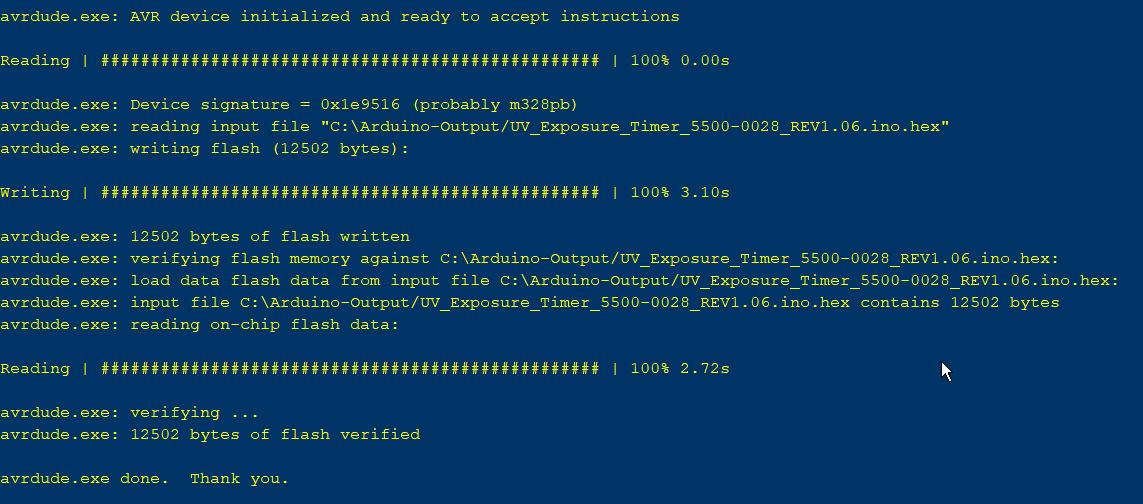
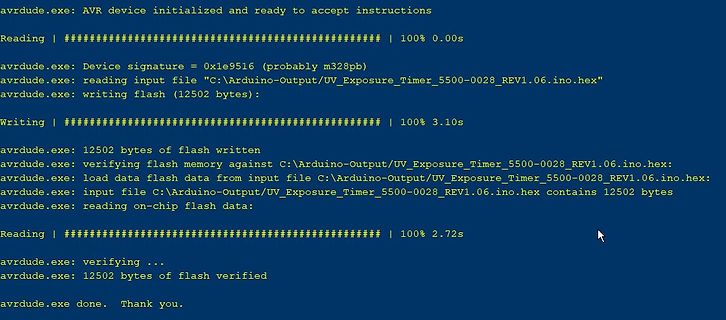
memory against C:\Users\david\AppData\Local\Temp\arduino_build_113400/V2.4.ino.hex: avrdude: load data flash data from input file C:\Users\david\AppData\Local\Temp\arduino_build_113400/V2.4.ino.hex: avrdude: input file C:\Users\david\AppData\Local\Temp\arduino_build_113400
einwandfrei in den Sketch einbinden bzw. compilieren. Wenn es trotzdem nicht klappt ist irgendwo im *.ino der Wurm drin. Wichtig: damit man alles sieht, _alle_ Warnungen in der IDE einschalten, da ist oft soviel Mist verborgen.
// Solarwechselrichter de dd3et // https://www.etechnophiles.com/how-to-change-the-pwm-frequency-of-arduino-nano/ // TCCR2B = TCCR2B & B11111000 | B00000001; // for PWM frequency of 31372.55 Hz on D3 & D11 // https://www.arduino.cc/reference/de/language/functions/external-interrupts/attachinterrupt/ // https://www.mikrocontroller.net/topic/542674?page=3#7218665 // Widerstand int widerstandspin = 12; bool widerstand; int pvspgpin = A0; int pvspg; // Nulldurchgang // Variablen für die Einstellungen int flankenkorrektur = 300; // Korrekturwert in Mikrosekunden mit Oszilloskop ermitteln int pulslaenge
// Pin-Definitionen const int zeroCrossingPin = 2; // Pin für Nulldurchgang const int outputPin = 7; // Pin für Ausgabe // Variablen für die Einstellungen int FLANKENKORREKTUR = 300; // Korrekturwert in Mikrosekunden int pulseWidth = 8000; // Länge des HIGH-Pulses in Mikrosekunden int pulsePosition = 1000; // Position des HIGH-Pulses in Prozent der Halbwelle // Variablen für den Interrupt volatile boolean zeroCrossing = false; volatile unsigned long zeroCrossingTime = 0; void setup() { // Flankenkorrektur pulsePosition = pulsePosition + FLANKENKORREKTUR, // Pin-Modi setzen pinMode(zeroCrossingPin
ein Programm dazu verlinkt. Wenn Du es schaffen solltest, 'DC_Motor_Regler.c' in 'DC_Motor_Regler.ino' umzubenennen, läuft es direkt auf einem Arduino. Oder brauchst Du dafür ein Video? Ich kann das natürlich auch gegen Bezahlung erledigen.
f2f-konverter.c' verlinkt. Das ist für einen ATmega48 geschrieben, läßt sich aber auch umbenannt als .ino-Datei für einen Arduino mit ATmega328 übersetzen, wobei die Konstanten entsprechend angepaßt werden müssen. Weiterhin gibt es einen Frequenz/Spannungswandler mit ATtiny44: http://mino-elektronik.de
LM4F120 Launchpad irmp-main-esp8266.c - ESP8266 irmp-main-mbed.cpp - MBED examples/Arduino/Arduino.ino - Teensy 3.x irmp-main-chibios.c - ChibiOS IRMP also runs on PIC processors. For the PIC-CCS compiler the necessary preprocessor defines are already set, such that irmp.c can be directly used in the

 Bild
Bild
 Bild
Bild
 Bild
Bild