Gast
#4116233
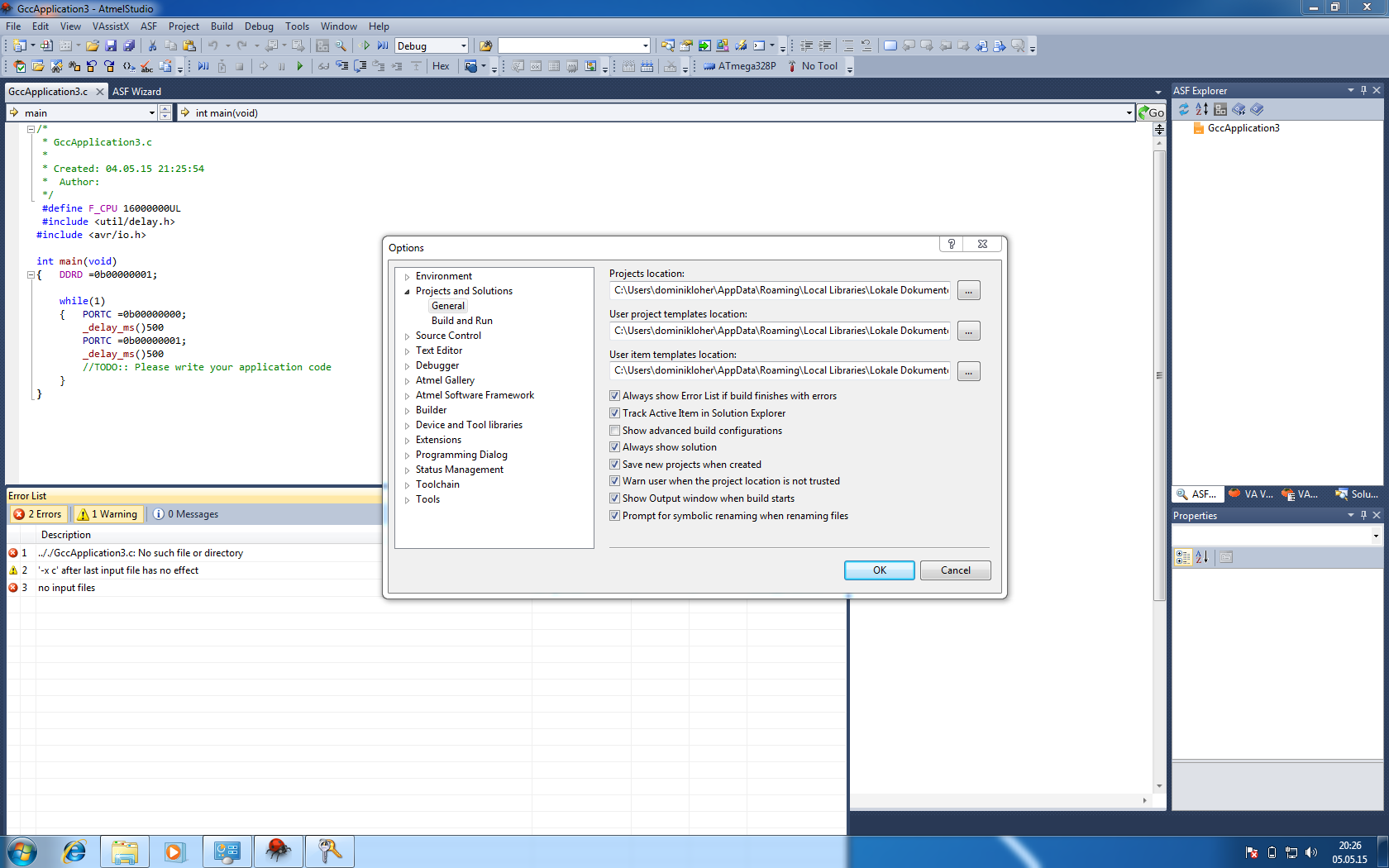
Hallo, ich habe Probleme Atmel studio 6.2 SP1 auf meinem Macbook über
parallels zum laufen zu bekommen ...

Nach dem kompilieren kommt immer der selbe Fehler


------ Build started: Project: GccApplication3, Configuration: Debug AVR
------
Build started.
Project "GccApplication3.cproj" (default targets):
Target "PreBuildEvent" skipped, due to false condition;
('$(PreBuildEvent)'!='') was evaluated as (''!='').
Target "CoreBuild" in file "C:\Program Files (x86)\Atmel\Atmel Studio
6.2\Vs\Compiler.targets" from project "\\psf\Home\Documents\Atmel
Studio\6.2\GccApplication3\GccApplication3\GccApplication3.cproj"
(target "Build" depends on it):
  Task "RunCompilerTask"
    Shell Utils Path C:\Program Files (x86)\Atmel\Atmel Studio
6.2\shellUtils
    C:\Program Files (x86)\Atmel\Atmel Studio 6.2\shellUtils\make.exe
all
    "\\psf\Home\Documents\Atmel
Studio\6.2\GccApplication3\GccApplication3\Debug"
    CMD.EXE wurde mit dem oben angegebenen Pfad als aktuellem
Verzeichnis gestartet.
    UNC-Pfade werden nicht unterstützt.
    Stattdessen wird das Windows-Verzeichnis als aktuelles Verzeichnis
gesetzt.
    Building file: .././GccApplication3.c
    "\\psf\Home\Documents\Atmel
Studio\6.2\GccApplication3\GccApplication3\Debug"
    CMD.EXE wurde mit dem oben angegebenen Pfad als aktuellem
Verzeichnis gestartet.
    UNC-Pfade werden nicht unterstützt.
    Stattdessen wird das Windows-Verzeichnis als aktuelles Verzeichnis
gesetzt.
    Invoking: AVR/GNU C Compiler : 4.8.1
    "\\psf\Home\Documents\Atmel
Studio\6.2\GccApplication3\GccApplication3\Debug"
    CMD.EXE wurde mit dem oben angegebenen Pfad als aktuellem
Verzeichnis gestartet.
    UNC-Pfade werden nicht unterstützt.
    Stattdessen wird das Windows-Verzeichnis als aktuelles Verzeichnis
gesetzt.
avr-gcc.exe(0,0): error: .././GccApplication3.c: No such file or
directory
avr-gcc.exe(0,0): warning: '-x c' after last input file has no effect
avr-gcc.exe(0,0): error: no input files
    compilation terminated.
    make: *** [GccApplication3.o] Error 1
    "C:\Program Files (x86)\Atmel\Atmel Toolchain\AVR8
GCC\Native\3.4.1061\avr8-gnu-toolchain\bin\avr-gcc.exe"  -x c
-funsigned-char -funsigned-bitfields -DDEBUG  -O1 -ffunction-sections
-fdata-sections -fpack-struct -fshort-enums -g2 -Wall -mmcu=atmega328p
-c -std=gnu99 -MD -MP -MF "GccApplication3.d" -MT"GccApplication3.d"
-MT"GccApplication3.o"   -o "GccApplication3.o" ".././GccApplication3.c"
    The command exited with code 2.
  Done executing task "RunCompilerTask" -- FAILED.
Done building target "CoreBuild" in project "GccApplication3.cproj" --
FAILED.
Done building project "GccApplication3.cproj" -- FAILED.

Build FAILED.
========== Build: 0 succeeded or up-to-date, 1 failed, 0 skipped
==========


Leider ergab die suche im Internet keine Lösung :/
Ich BITTE also um Hilfe

Gruß