Hallo zusammen,

ich versuche gerade, ein Developer Board mit einem nrf52833 zu flashen.
Dies schlägt leider fehl.

Der Hersteller des Boards stellt dazu eine Step by Step Anleitung zur
Verfügung:

https://raytaccorp.blogspot.com/2019/01/how-to-use-mdbt50q-demo-board-mdbt50-db.html

Entsprechend dieser Anleitung habe ich folgendes heruntergeladen und
installiert:

- nRF Connect For Desktop
- nRF5 Command Line Tools
- nRF5 SDK

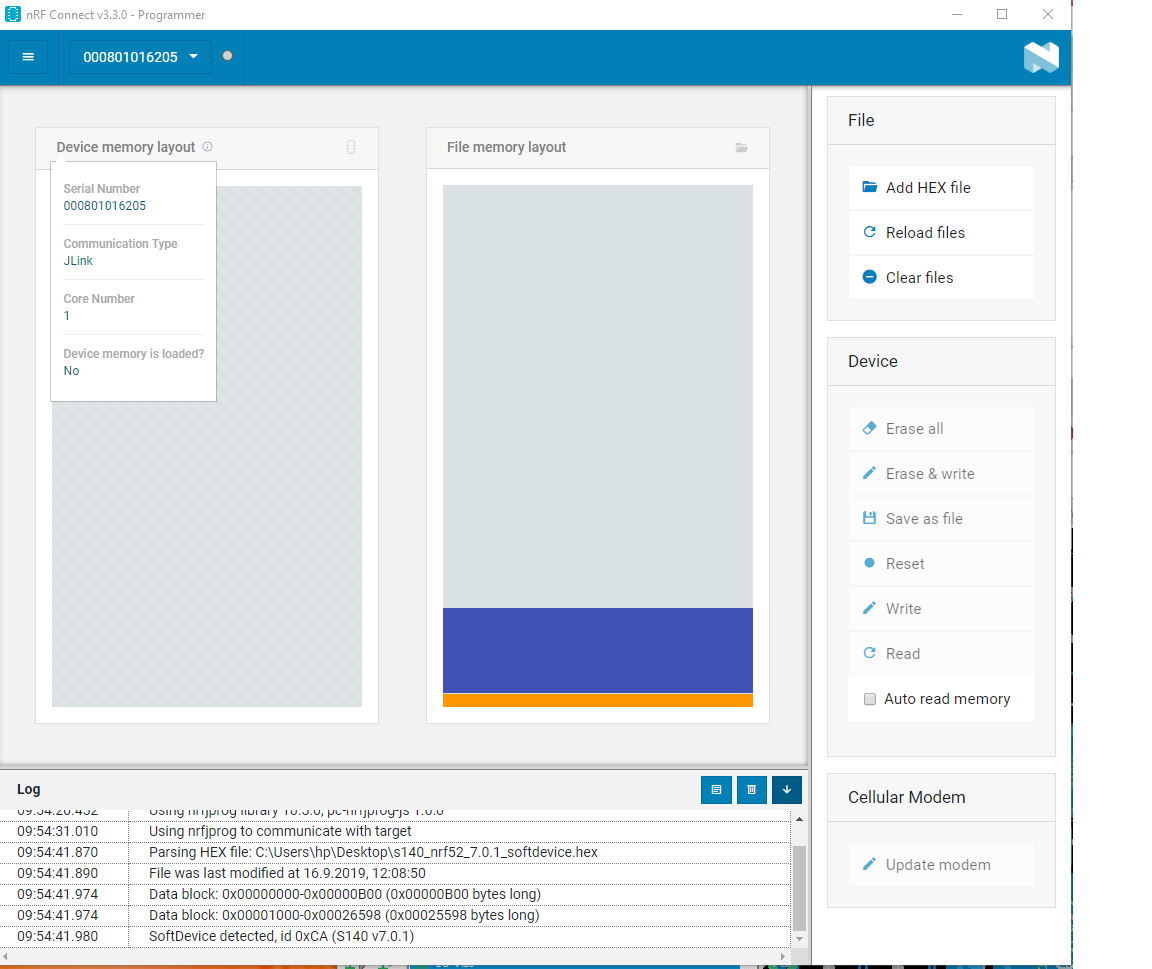
Im Schritt 4 "Erase and Write" komme ich nicht weiter. Es ist nicht
möglich, "Erase" und/oder "Write" zu auszuwählen (grau hinterlegt, s.
Screenshot) um das Softdevice von nordic zu übertragen (BLE Stack). Als
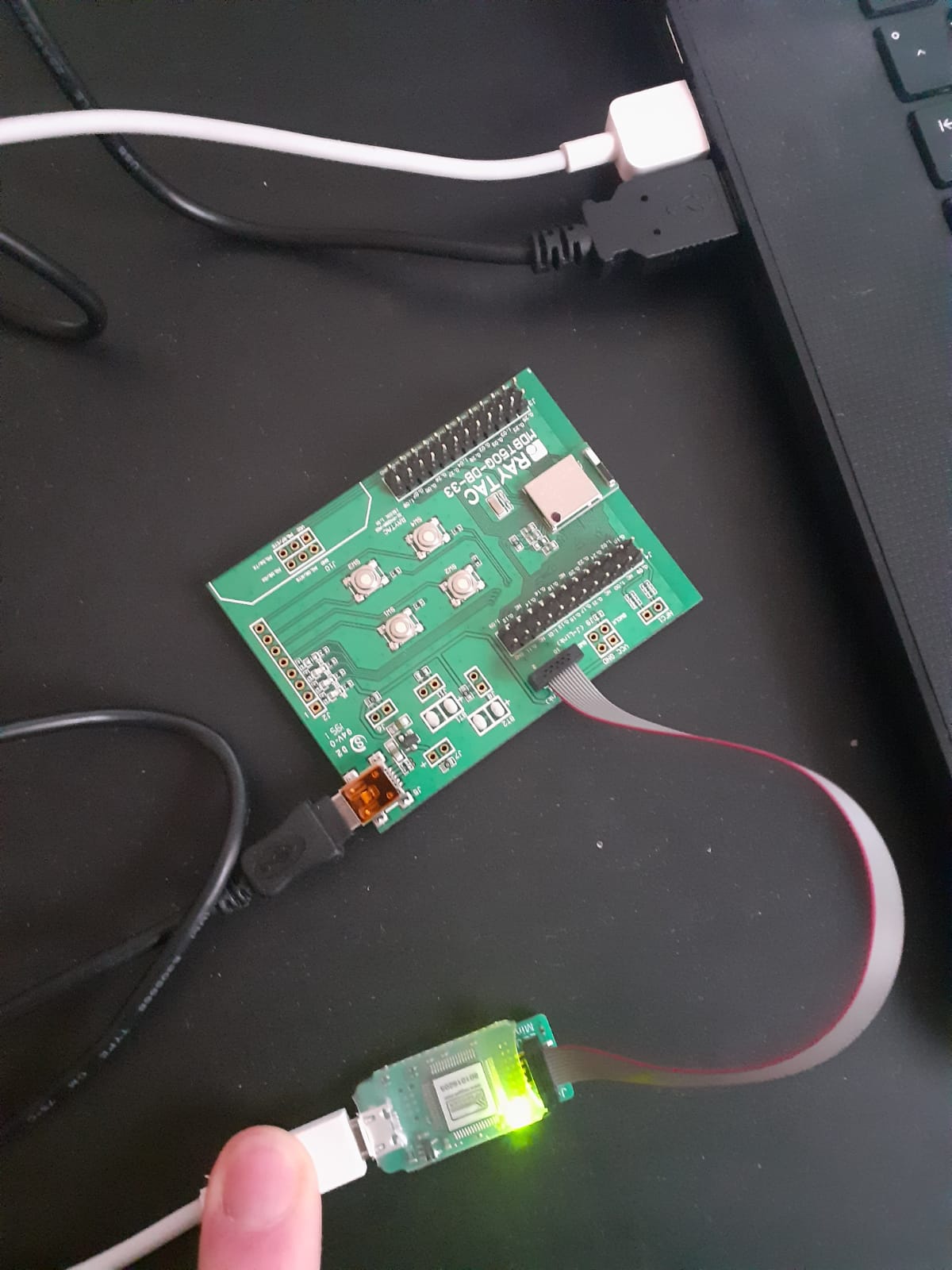
Programmer habe ich einen originalen EDU mini von Segger im Einsatz.
Dieser ist ganz normal über IDC mit dem Demo Board verbunden. Beides
versorgt über USB (s. Bild Anhang).

Software ist jeweils aktuell, Hersteller das Boards schiebt es natürlich
auf den J-Link.

Habt ihr Ideen, was ich noch ausprobieren könnte?

Danke und freundliche Grüße

Simon
Angehängte Dateien:
-
 nrfconnect.png
(84 KB)
nrfconnect.png
(84 KB)
-
 Hardware.jpeg
(140 KB)
Hardware.jpeg
(140 KB)