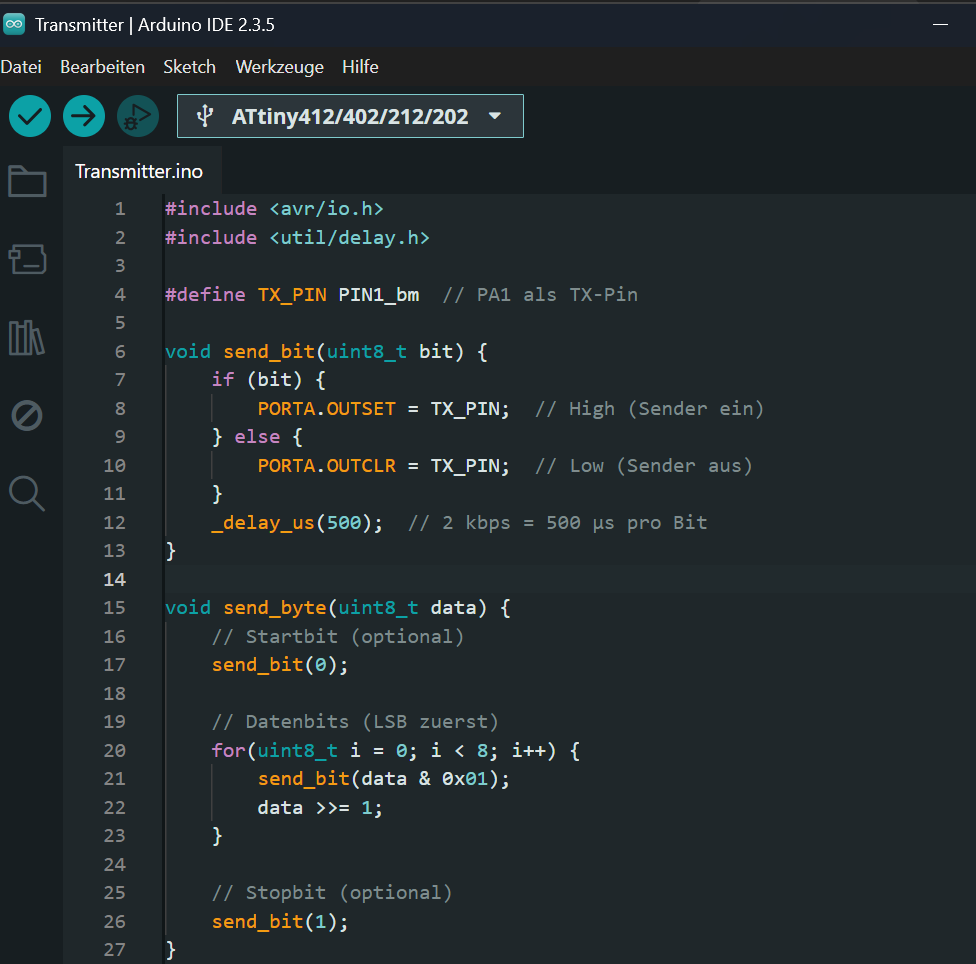
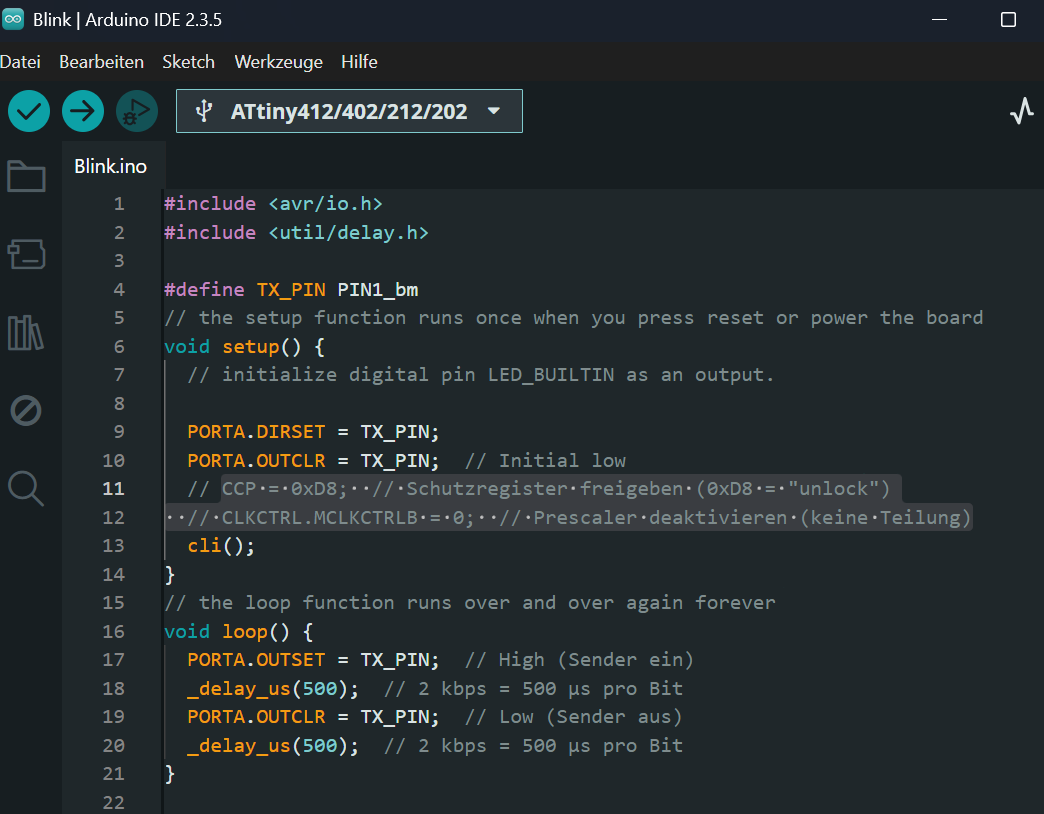
#include <LiquidCrystal_I2C.h> #include <Wire.h> #include <SPI.h> #include <SD.h> LiquidCrystal_I2C lcd(0x27,16,2); // set the LCD address to 0x27 for a 16 chars and 2 line display. ACHTUNG: Adresse kann auch 0x3F sein !!! // Anschlüsse: // GND - GND // VCC - 5V // SDA - ANALOG Pin 4 // SCL - ANALOG pin 5 const int buttonPin = 8; int buttonState = 0; const byte interruptPin = 2; int pulse = 0; long time_alt; int seconds; int i; int counts[200]; const int chipSelect = 10; // used for Arduino // =========================== // ======= SETUP ========= // =========================== void setup() {
C:\Users\49174\AppData\Local\arduino\sketches\76EA383A602CA205D92872EAB89D6453/CH32V003-Blinktest1.ino.elf} verify; wlink_reset_resume; exit;" Open On-Chip Debugger 0.11.0+dev-02415-gfad123a16-dirty (2023-05-05-13:43) Licensed under GNU GPL v2 For bug reports, read http://openocd.org/doc/doxygen
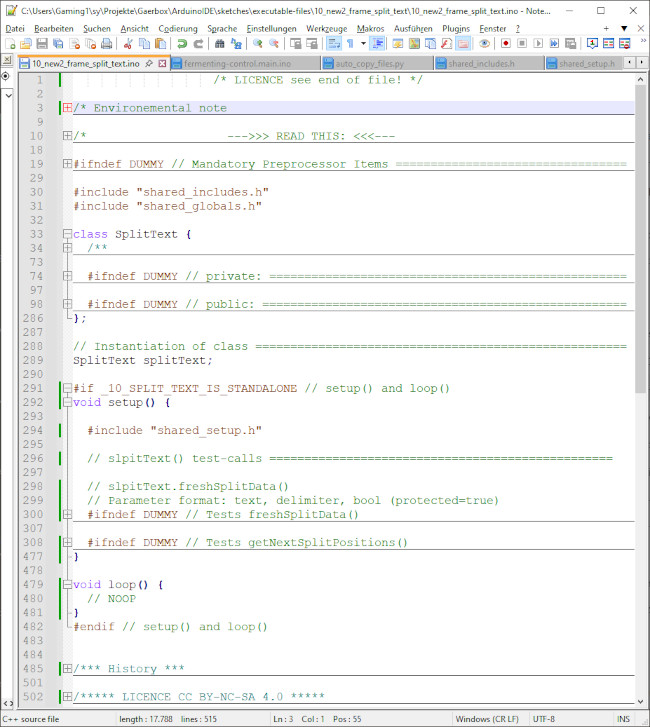
/* LICENCE see end of file! */ /* Environemental note The program is created for Arduino/ESP8266 and is tested on WIN10 only! */ /* --->>> READ THIS: <<<--- Developer, don't forget to update the version number in the private section of the class! */ #ifndef DUMMY // Mandatory Preprocessor Items ================================= // Meta items --------------------------------------------------------------- #ifndef _10_SPLIT_TEXT_IS_STANDALONE #define _10_SPLIT_TEXT_IS_STANDALONE true // If running as a standalone #endif // _10_SPLIT_TEXT_IS_STANDALONE // REQUIRED IN GLOBAL SPACE ================
/* Taktgenerator fuer RP2040 Pico Pi mit Ausgang an GPIO21. Die Frequenz wird in der Arduino IDE eingestellt: hier 250 MHz. 2025-17-07 Michael Nowak www.mino-elektronik.de */ #include"rp2040_arduino.h" // Registerdefinitionen #define BIT(x) (1<<x) void setup() { // put your setup code here, to run once: CLOCKS->CLK_GPOUT0_CTRL = CLOCKS_CLK_GPOUT0_CTRL_ENABLE_Msk | // enable 6 << CLOCKS_CLK_GPOUT0_CTRL_AUXSRC_Pos; // pll_sys als Quelle IO_BANK0->GPIO21_CTRL = IO_BANK0_GPIO21_CTRL_FUNCSEL_clocks_gpout_0; // fester Ausgang PADS_BANK0->GPIO21 |= 3<<PADS_BANK0_GPIO21_DRIVE_Pos | // hoher Ausgangsstrom
die man in Debug eintippen mußte. Weitaus bessere Chancen hättest Du mit einen Arduino Sketch (.ino). Dann könnte man sogar kleine LED-Ampeln anschließen und als Kreuzungmodell anordnen.
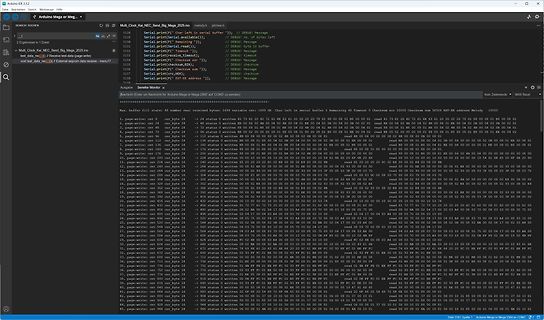
Multi_Clock_Kat_NEC_Send_Big_Mega_2025.ino
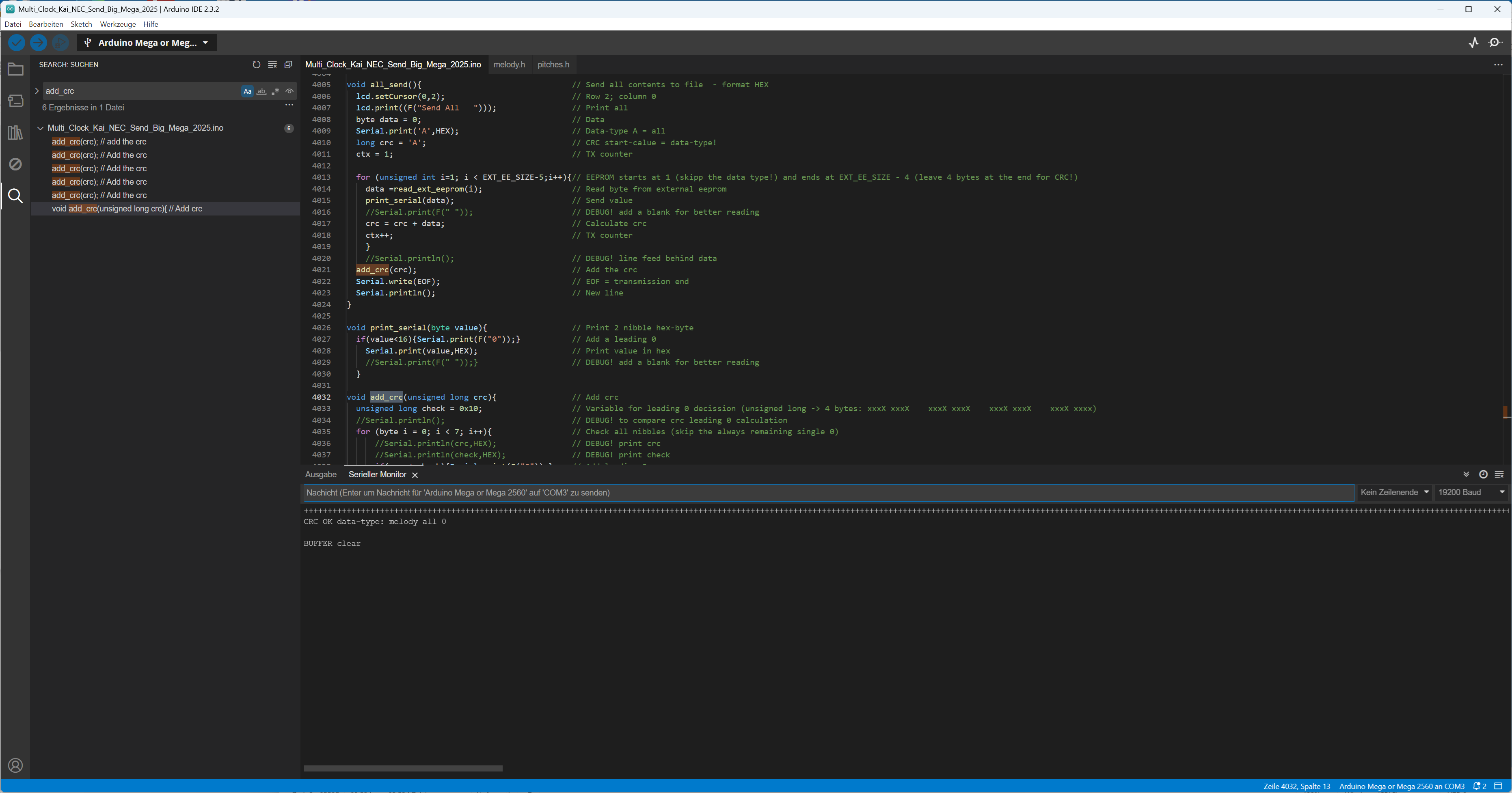
void add_crc(unsigned long crc) {
unsigned long crc = data;
Serial.print("CRC: ");
Serial.println(crc, HEX);
}
Serial Monitor
Nachricht (Enter um Nachricht für Arduino Mega 2560 auf COM7 zu senden)
#define MAXBUFFER 20 // für längstes Kommando auf Serial In // --------------- serial in --------------- if (Serial.available() > 0) { char incomingByte = (char)Serial.read(); if(incomingByte == 13) { // Wenn das Enter ankommt strcpy(serial_in_command, serial_in_buff); memset(&serial_in_buff[0], 0, sizeof(serial_in_buff)); // 30.554 Bytes chr_cnt = 0; } // if(incomingByte == 13) else { // Falls kein Enter kommt muss der Text gespeichert werden in dem inText Array if(isprint(incomingByte)) { if(chr_cnt<(MAXBUFFER-2)) serial_in_buff[chr_cnt++] = incomingByte; else { Serial.println(F("serBUF ov->
#include <Wire.h> void setup() { Wire.begin(); Serial.begin(9600); Serial.println("\nI2C Scanner"); } void loop() { byte error {255}; byte address {0}; int nDevices {0}; Serial.println("Scanning..."); for(address = 1; address < 78; address++ ) { // The i2c_scanner uses the return value of // the Write.endTransmisstion to see if // a device did acknowledge to the address. Wire.beginTransmission(address); error = Wire.endTransmission(); if (error == 0) { Serial.print("I2C device found at address 0x"); if (address<16) Serial.print("0"); Serial.print(address,HEX); Serial.println(); nDevices++; } else if (error==4) {
du wirklich Hilfe willst, dann erwarte ich, dass du ein vollständiges und kompilierbares Programm (ino) zeigst, welches das Problem aufweist. Dein reduziertes "Test.ino" File ist nicht kompilierbar, und keinem hier ist bekannt welchen Einfluss die nicht gezeigten Softwareteile ausüben könnten. Was
Hallo Veit, der I2C_Adressen_und_Frequenz_Scanner.ino (3,26 KB) liefert mit Pull-Up 4.7k an SDA und SCL folgendes Ergebnis: [c] addr 100 200 400 kHz Line 0x50 x x x TWI.0 0x58 x x x TWI.0 [/c] Viele Grüße
/* LICENCE see end of file */ /* --->>> Version number <<<--- Don't forget to update the version number in the private section of the class! */ #ifndef DUMMY // Mandatory Preprocessor Items ================================= // Meta items --------------------------------------------------------------- #ifndef _10_SPLIT_TEXT_IS_STANDALONE #define _10_SPLIT_TEXT_IS_STANDALONE true // If running as a standalone #endif // _10_SPLIT_TEXT_IS_STANDALONE // REQUIRED IN GLOBAL SPACE ================================================! String textToSplit; // Reserved long String to avoid heap fragmentation
sum: "); Serial.print(sum); } [/c] /tmp/arduino_build_733415/CH32V003_trigonometrieSpeed.ino.elf section `.text' will not fit in region `FLASH' .arduino15/packages/WCH/tools/riscv-none-embed-gcc/8.2.0/bin/../lib/gcc/riscv-none-embed/8.2.0/../../../../riscv-none-embed/bin/ld: region `FLASH
/arduino-esp32/blob/master/libraries/Zigbee/examples/Zigbee_Window_Covering/Zigbee_Window_Covering.ino Dort habe ich allerdings das Problem, dass ich ein Relais finden muss, was ZigBee Window Covering konform ist und nicht etwas eine proprietäre Eigenlösung. Ich könnte mir vorstellen, dass das Relais
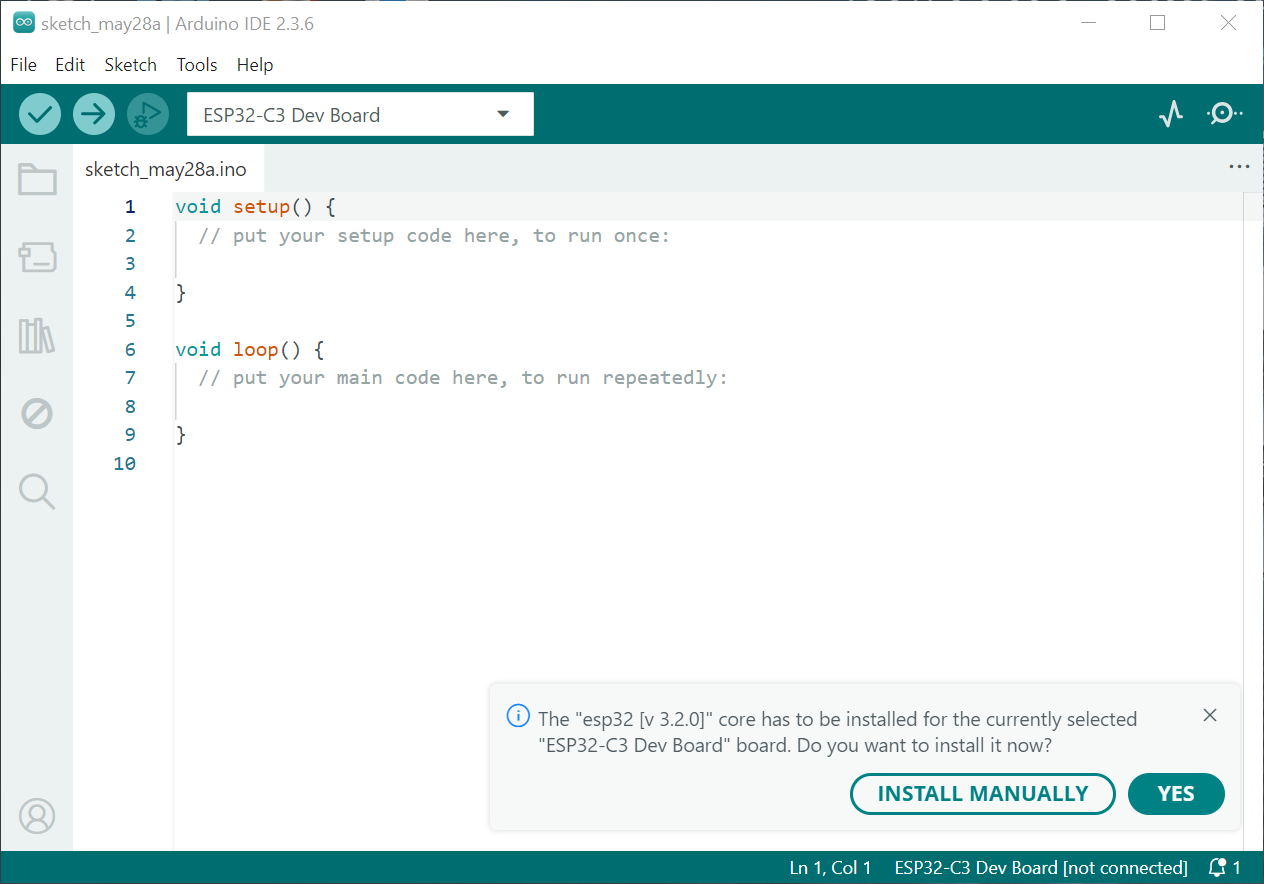
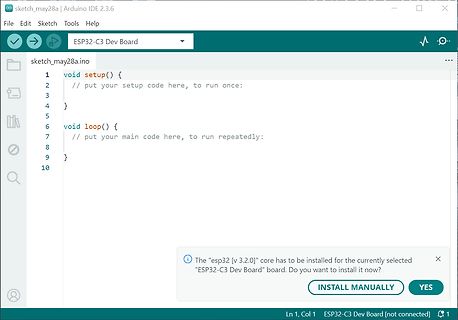
sketch_may28a | Arduino IDE 2.3.6
File Edit Sketch Tools Help
ESP32-C3 Dev Board
sketch_may28a.ino
void setup() {
// put your setup code here, to run once:
}
void loop() {
// put your main code here, to run repeatedly:
}
The "esp32 [v 3.2.0]" core has to be installed for the currently selected "
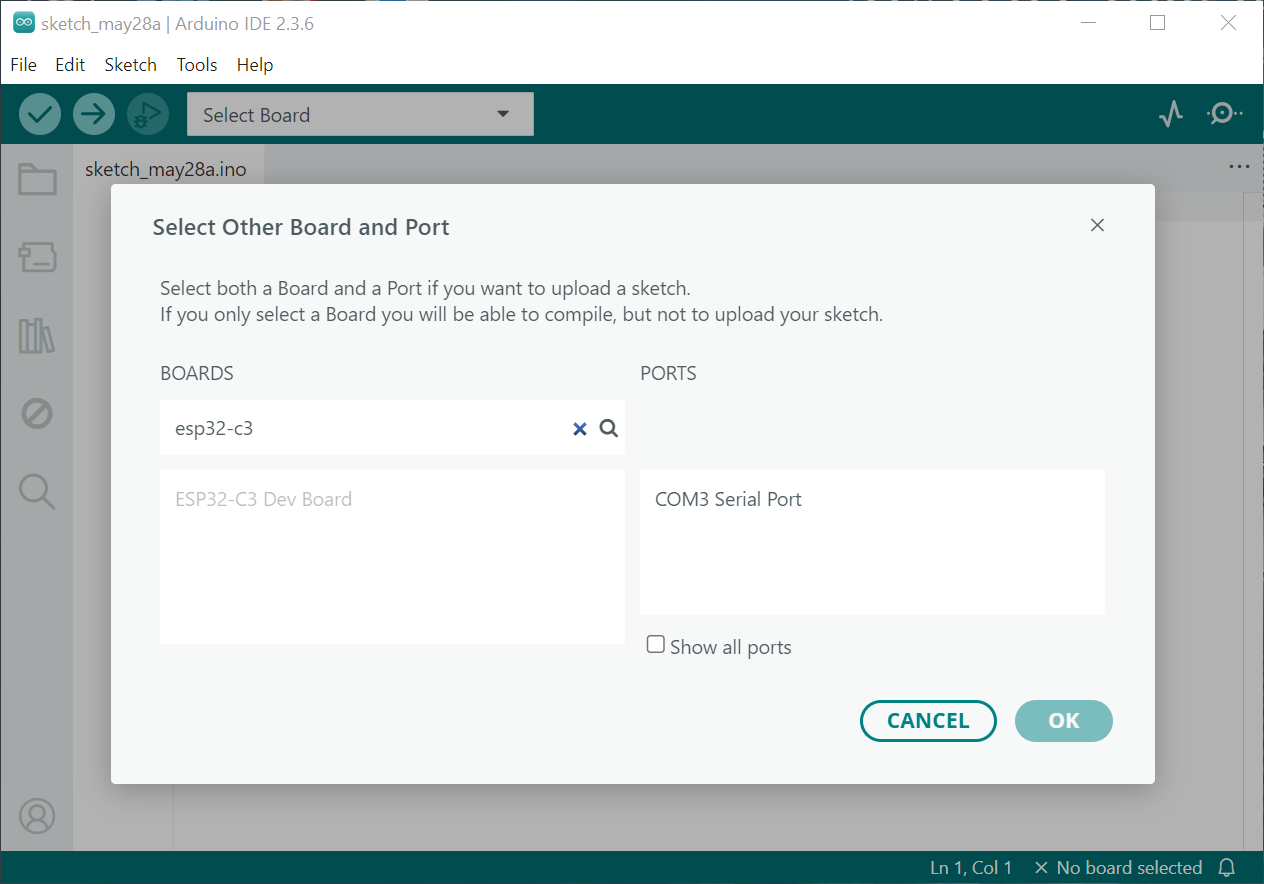
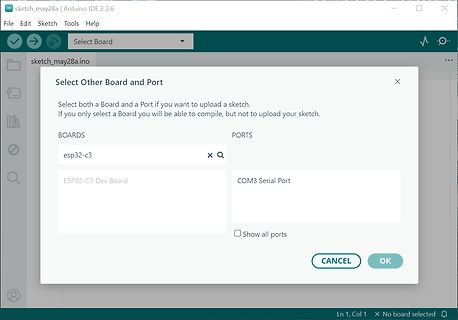
sketch_may28a | Arduino IDE 2.3.6
File Edit Sketch Tools Help
Select Board
sketch_may28a.ino
Select Other Board and Port
Select both a Board and a Port if you want to upload a sketch.
If you only select a Board you will be able to compile, but not to upload your sketch.
BOARDS
esp32-c3
ESP32
#7881731: > Wie übernimmt man den Falk B.-Code in die Arduino IDE? Neuen Arduino Sketch öffnen Die *.ino komplett leeren und speichern Die c und h Dateien von Falk in den gleichen Ordner werfen. Kompilieren/Hochladen und fertig. Beim nächsten Start der IDE zeigt es auch die Dateien in Tabs Vielleicht
\\Temp\\arduino_build_862244/Blink.ino.elf" "C:\\Users\\Brunner.000\\AppData\\Local\\Temp\\arduino_build_862244/Blink.ino.hex" "C:\\Arduino\\hardware\\tools\\avr/bin/avr-size" -A "C:\\Users\\Brunner.000\\AppData\\Local\\Temp\\arduino_build
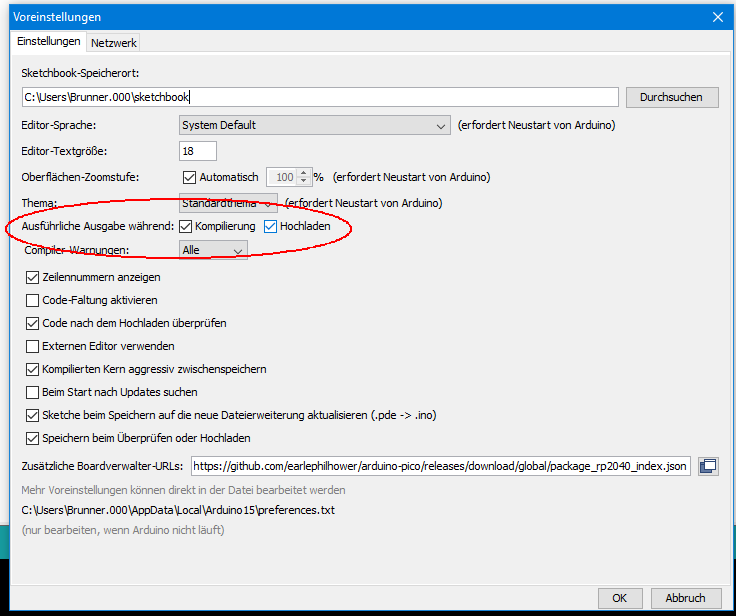
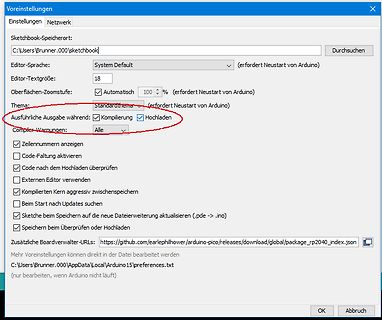
Beim Start nach Updates suchen
Sketch bei Speichern auf die Dateierweiterung aktualisieren (.pde -> .ino)
Speichern bei Überprüfen oder Hochladen
Zusätzliche Boardverwalter-URLs: https://github.com/earlephilhower/arduino-pico/releases/download/global/package_rp2040_index.json
Mehr Voreinstellungen können
patmega328p -carduino -P/dev/ttyUSB0 -b115200 -D -Uflash:w:/tmp/arduino_build_466420/AnalogReadSerial.ino.hex:i und so geändert, dass es die von mir erstellte blink.hex runterlädt /usr/bin/avrdude -C/etc/avrdude.conf -v -patmega328p -carduino -P/dev/ttyUSB0 -b115200 -D -Uflash:w:blink.hex:i Danke
Musste ich ja gleich mal ausprobieren. > Wenn ja, was war die Fehlermeldung? > [code] Hurz.ino:223:19: error: no matching function for call to 'EEPstore<unsigned char>::EEPstore()' EEPstore<uint8_t> store; ^~~~~ In file included from Hurz.ino:5:0: libraries\EEPstore\src
] Damit konnte ich den Compiler aber auch nicht besänftigen. Er meckerte weiter : [code] Hurz.ino:224:27: error: 'EEPstore<T>::EEPstore(const T&) [with T = unsigned char]' is private within this context EEPstore<uint8_t> store(ee); ^ In file included from Hurz.ino:
ein Argument und scheinbar hat es mehr Funktionen. Ob ich dann Zugang zur Firmware (Surce, also der INO) bekomme werde ich sehen (derzeit nur für Abonenten). Wenn nicht, geht das Ding postwendend ungeöffnet zurück. Old-Papa
bool Toggle = LOW; [/code] Hier der geänderte Codeausschnitt (ab ca. Zeile 90), die komplette INO oder HEX lade ich nicht hoch wegen Copyright... Old-Papa
“ speichern - Sketch Ordner öffnen - *.ino & *.h Files in den Ordner aus dem ZIP „/src“ kopieren Folgende externe Bibliotheken wurden zusätzlich über den „LIBRARY MANAGER“ in das Projekt aufgenommen. - ArduinoJson - PsychicHttp - U8g2lib Die

 Bild
Bild
 Bild
Bild
 Bild
Bild
 Bild
Bild
 Bild
Bild
 Bild
Bild
 Bild
Bild
 Bild
Bild
 Bild
Bild