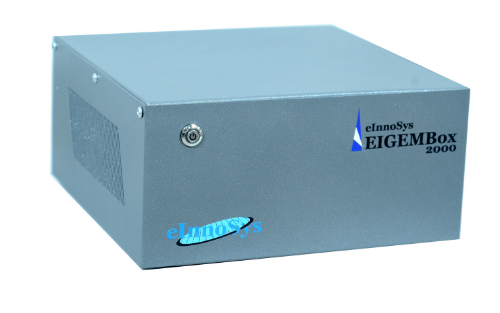
EIGEMBox-2000 is a unique hardware product equipped with required
software that enables SECS/GEM capability on equipment that currently
doesn’t have one.
The legacy equipment can be from any manufacturer or model, could be
running any Operating System, or can be a process, inspection, or
metrology equipment, it wouldn’t matter! The best part is this product
doesn’t require any hardware or software to be installed on your
existing legacy equipment, so you can be assured that EIGEMBox-2000 can
not affect the reliability or performance of your legacy equipment.
Communication is enabled through HSMS or SECS-I port.
In addition to SECS/GEM, data from legacy equipment can also be sent
through OPC or Modbus TCP.

Overview

EIGEMBox-2000 is a unique product that enables SECS/GEM, Modbus, or OPC
capability on your existing equipment, and it does it without requiring
any software or hardware installation on the equipment. All you need is
to connect the cable from your equipment’s PC to EIGEMBox. If you want
to control the equipment for recipe selection/download or remote start
and stop or setting any set-points, you need to connect EIGEMBox to the
equipment PC through keyboard and mouse ports (USB or PS/2) as well.
That’s it!

Benefits

Enables SECS/GEM, OPC, or Modbus communication capabilities on existing
equipment.
100% safe – requires no software or hardware installation on the
equipment.
Enables automation capabilities such as data collection & analysis,
Fault Detection&
Classification (FDC), recipe download, remote start and stop, and much
more!
Supports Industry 4.0 and Smart Factory.
Improves Yield, OEE, Cycle Time, process and reduces manufacturing cost.
Takes minutes to set up.

Features of EIGEMBox-2000

Enable SECS/GEM capability on existing equipment regardless of
generation, make, model, OS or anything
No hardware or software installation required on the equipment-
Plug-n-Play, takes minutes to setup
Plug-n-Play takes minutes to setup
Angehängte Dateien:
-
 Untitled_design__2_.png
(130 KB)
Untitled_design__2_.png
(130 KB)